
Graphics card repair is often worth it for high-end cards, or when the fault is a fan, power connector, or a failed component. Motherboard repair is worth it when the board is expensive, hard to replace, or holds important data. If the repair costs more than about 50–60% of a comparable replacement, replacing is usually the smarter choice. A diagnostic tells you which side you are on.
When a PC suddenly shows strange visuals, won’t boot, or restarts by itself, the graphics card (GPU) or the motherboard is often the cause. Both are costly to replace, so many people ask whether repair makes sense. Here is how to decide.
What are the signs of a failing graphics card?
- Colored dots, lines, or shapes on screen (artifacts)
- Screen going black during games or video
- Driver crashes, or “display driver stopped responding”
- Very loud fans or high temperatures
- No display, even though the PC powers on
Quick checks before you assume the GPU is dead
- Reseat the display cable on both ends.
- Test with a different monitor or cable.
- Reinstall or roll back the graphics driver.
- Check that the card’s power cables are firmly connected.
- If you have integrated graphics, remove the card and test the PC with the monitor on the motherboard port.
If the PC works without the card, the GPU is the likely problem.
What are the signs of a failing motherboard?
- The PC won’t turn on, or turns on and immediately shuts down
- No display and no beep codes
- USB ports, memory slots, or other ports stop working
- Random restarts or freezes that continue after other parts are replaced
- Burnt smell, swollen capacitors, or visible damage
These signs can also come from a weak power supply or bad RAM, so a proper diagnostic matters before any part is replaced.
Can a graphics card be repaired?
Yes, in many cases. Common GPU repairs include:
- Fan replacement for noise and overheating
- Thermal paste and thermal pad replacement for high temperatures
- Power connector or port repair
- Component-level repair for failed memory or power parts
A GPU with failed core silicon is generally not worth repairing. Our technicians will tell you honestly if replacement is the better choice.
Can a motherboard be repaired?
Often yes. Technicians can repair damaged power circuits, replace broken ports and connectors, and fix problems caused by liquid or power surges. Our computer repair team in Raleigh diagnoses the board first, so you pay only for work that has a real chance of fixing the problem.
Repair or replace? A simple decision guide
| Situation | Usually best choice |
| Newer or high-end GPU with a fan or cooling fault | Repair |
| Old, low-cost GPU with a core failure | Replace |
| Laptop motherboard (often not sold separately) | Repair |
| Desktop motherboard on an old platform | Compare repair vs. replace cost |
| Important data on the machine | Repair or recover data first |
| Repair estimate above ~50–60% of replacement cost | Replace |
What affects repair cost?
- Type of fault (cooling, port, or circuit)
- Brand and model of the part
- Whether parts are available
- Time needed for testing and repair
The cost of graphics card and motherboard repair depends on the fault and the part. Get a quote and we will explain the problem and the time needed before work starts. Most iFixFast repairs are completed within 30 minutes, though board-level work can take longer.
What happens during a PC diagnostic?
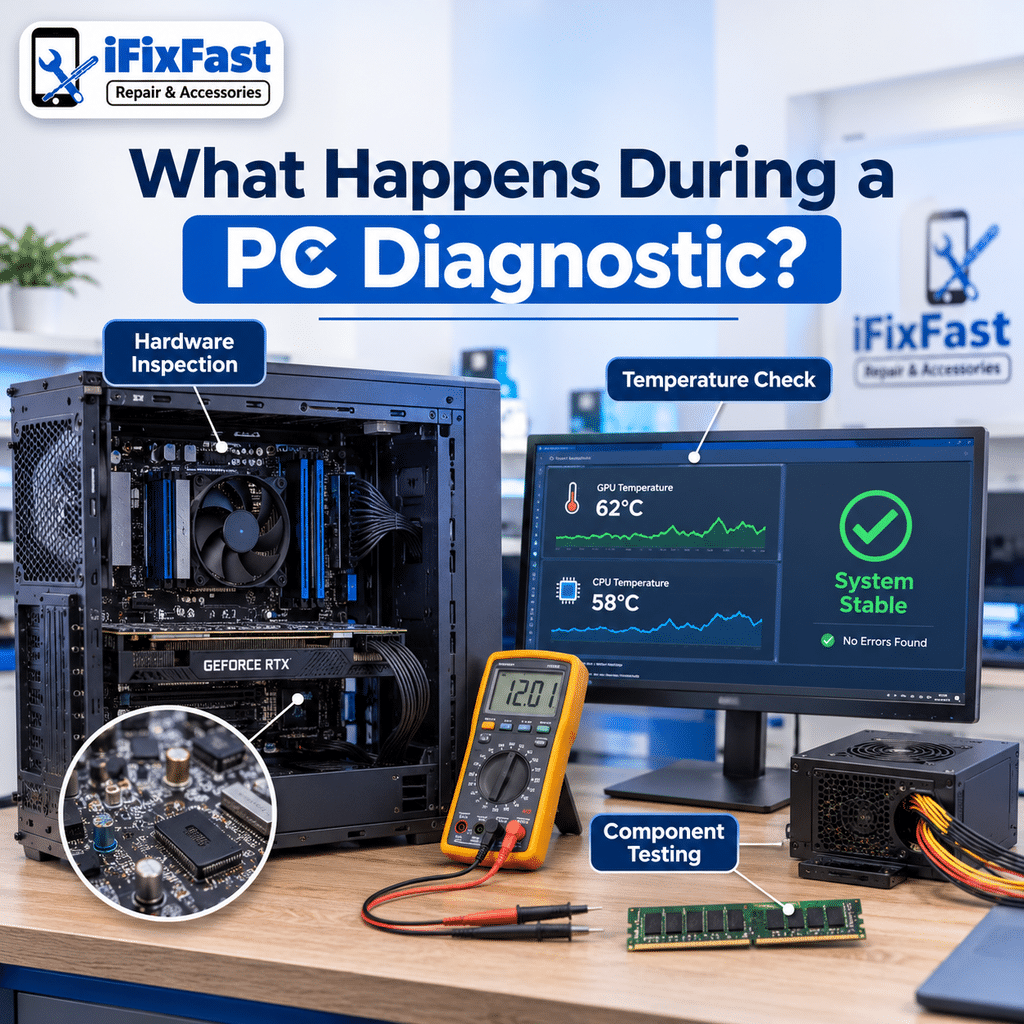
A proper diagnostic finds the real fault before any part is replaced. It usually follows these steps:
- Listen to the symptoms. When did the problem start? Does it happen in games, at startup, or all the time?
- Inspect the hardware. Look for burnt parts, swollen capacitors, corrosion, bent pins, and dust.
- Test with known good parts. Swapping the power supply, RAM, or monitor helps rule out other causes.
- Check temperatures and stability. Stress testing shows whether the PC fails when it heats up.
- Explain the result. You should hear exactly what is wrong and what your options are before any work begins.
If you want a second opinion on a quote you already received, this is a good reason to bring the PC to a local shop.
Could it be something other than the GPU or motherboard?
Many “dead GPU” or “dead motherboard” cases turn out to be something else. Here is what else can cause similar symptoms:
| Symptom | Other possible cause |
| PC won’t turn on | Failed power supply or power switch |
| Random crashes and blue screens | Bad RAM, overheating, or a failing drive |
| No display | Loose cable, wrong video input, or a bad monitor |
| Artifacts only in one game | Driver or game problem |
| Slow, hot, and loud | Dust and dried thermal paste |
This is why a diagnostic is better than guessing. Replacing the wrong part can cost you time and money.
Desktop vs. laptop graphics problems
In a desktop PC the graphics card is a separate card you can test and swap. In many laptops the graphics chip is soldered to the motherboard. That means a laptop GPU problem often needs board-level repair, not a simple part swap. If your laptop has display or power problems, read our guide on what to do when a laptop won’t turn on.
How to avoid GPU and motherboard failures
- Clean dust from the PC every 6–12 months.
- Use a surge protector or UPS.
- Keep airflow open around the case.
- Replace dried thermal paste on older systems.
- Don’t overload a weak power supply.
Why choose iFixFast for PC repair in Raleigh?
iFixFast is a local Raleigh repair shop for desktops, laptops, and gaming PCs. See our full range of computer repair services, or learn why customers choose us in our PC repair shop in Raleigh guide.
FAQ
Is it worth repairing a graphics card?
It is worth it when the fault is cooling, a power connector, or a failed part and the card is mid- to high-end. It is not worth it for old, cheap cards with a dead core.
How much does graphics card repair cost?
The cost depends on the fault and the card model. Request a quote for your exact problem.
How do I know if it’s my GPU or my motherboard?
Test the PC without the graphics card using integrated graphics, or test the card in another PC. A technician can do this quickly.
Can a motherboard be repaired after liquid damage?
Sometimes. Fast action helps. Turn the PC off and bring it in quickly, because corrosion spreads over time.
Is there motherboard repair near me in Raleigh?
Yes. iFixFast offers motherboard and PC repair at 6210 Plantation Center Dr STE 105, Raleigh, NC 27616. Call +1 919-399-0019.
What causes graphics card artifacts?
Common causes include overheating, failing video memory, a loose or damaged cable, an unstable overclock, or a driver problem. If artifacts appear even at startup, before Windows loads, the hardware is more likely at fault than the software.
Can overheating damage a graphics card or motherboard?
Yes. Long periods of high heat can weaken solder joints, memory chips, and power parts. That is why dust cleaning and fresh thermal paste matter for older PCs.
Should I keep using a PC that shows artifacts or shuts down randomly?
It is better to stop. Continued use can make the fault worse and put your data at risk. Back up your files if you can, then request a quote or call +1 919-399-0019.
Not sure if your GPU or motherboard is the problem? Request a diagnostic today.
Leave A Comment