
A PS5 with no picture is often caused by a damaged PS5 HDMI port, a bad cable, or a TV setting. A PS5 that gets loud and hot usually needs internal cleaning and fresh thermal material. Controller stick drift is normally caused by worn analog stick parts. A repair shop can fix all three, so you rarely need a new console.
These are the three most common PS5 problems we see. Here is how to tell what is wrong, what you can try at home, and what needs a technician.
PS5 HDMI port problems
What are the signs of a damaged PS5 HDMI port?
- The console turns on, but the TV shows “no signal”
- The picture flickers, drops out, or shows sparkles
- The cable only works when it is held at an angle
- You can see bent pins or a loose port
Try these first
- Test a different HDMI cable, ideally an Ultra High Speed cable.
- Try another HDMI input on the TV, or another TV.
- Check the TV’s input source and resolution settings.
- Look inside the PS5 port with a flashlight for bent pins or debris. Do not push anything into the port.
If a different cable and TV give the same result, the port is likely damaged.
How is it repaired?
A PS5 HDMI port is soldered onto the motherboard, so repair means removing the old port and soldering a new one. This needs micro-soldering skills and the right tools. Our HDMI port repair service in Raleigh handles this. Get a quote for your PS5, and check our current repair offers.
PS5 overheating and loud fan
What causes PS5 overheating?
Dust blocks the vents and fan, and old thermal material stops cooling the chip properly. This makes the fan louder and can lead to shutdowns.
What can you do at home?
- Keep the PS5 in an open space with room around it. Avoid enclosed cabinets.
- Gently clean the outside vents with a soft brush or compressed air.
- Do not open the console yourself. Doing so can void warranty and may damage parts.
When to get a PS5 cleaning service
If the fan is loud all the time, or the console shuts off during games, a deep clean is needed. Our technicians open the console, remove dust, and check the cooling parts. Learn more on our PS5 repair page or get a quote.
PS5 controller stick drift
What is stick drift?
Stick drift is when your character or camera moves without you touching the controller. It happens as the analog stick sensors wear down with use.
Quick fixes
- Update the controller firmware.
- Clean around the stick base with a little isopropyl alcohol.
- Reset the controller using the small button on the back.
If drift remains, the stick module needs replacing. This is usually cheaper than a new controller. Get a quote for controller repair.
How to tell which PS5 problem you have
Sometimes the symptom looks like one problem but points to another. Use this quick guide:
| What you notice | Most likely problem |
| Console turns on, TV says “no signal” | HDMI cable, TV input, or HDMI port |
| Picture flickers or shows sparkles | Loose or damaged HDMI cable or port |
| Fan is loud and the console feels very hot | Dust buildup or dried-out cooling material |
| Console shuts off during games | Overheating |
| Character or camera moves on its own | Controller stick drift |
| Console won’t turn on at all | Power fault, which needs a proper diagnosis |
Easy PS5 checks before you book a repair
These checks take a few minutes and can save you a trip:
- Swap the HDMI cable for another one, and try a different TV or HDMI input.
- Check the console’s video settings. Settings like HDCP and the video output resolution can cause a blank screen on some TVs.
- Try Safe Mode. Turn the console off, then hold the power button until you hear a second beep. From Safe Mode you can change the video output.
- Look at the port with a flashlight. Never push anything into it.
If the same problem happens with a different cable and a different TV, the issue is probably inside the console.
Tips to protect your PS5
A few habits help your console last longer:
- Leave space around the vents, and avoid closed cabinets with no airflow.
- Don’t place the console on a carpet or anywhere that collects dust.
- Wipe dust from the outside vents regularly.
- Don’t pull on the HDMI cable or let it hang under tension. Bent pins and loose ports often start this way.
- Don’t push the controller sticks harder than needed, and keep the controller clean.
What to bring when you visit our Raleigh shop
- The console and its power cable
- The HDMI cable you were using
- The controller, if you have stick drift
- A short note of the symptoms, such as when the problem started and what you tried
As a precaution, back up your game saves to the cloud or a USB drive before any repair. You can get a quote first, or browse all game console repair services.
PS5 repair or replace?
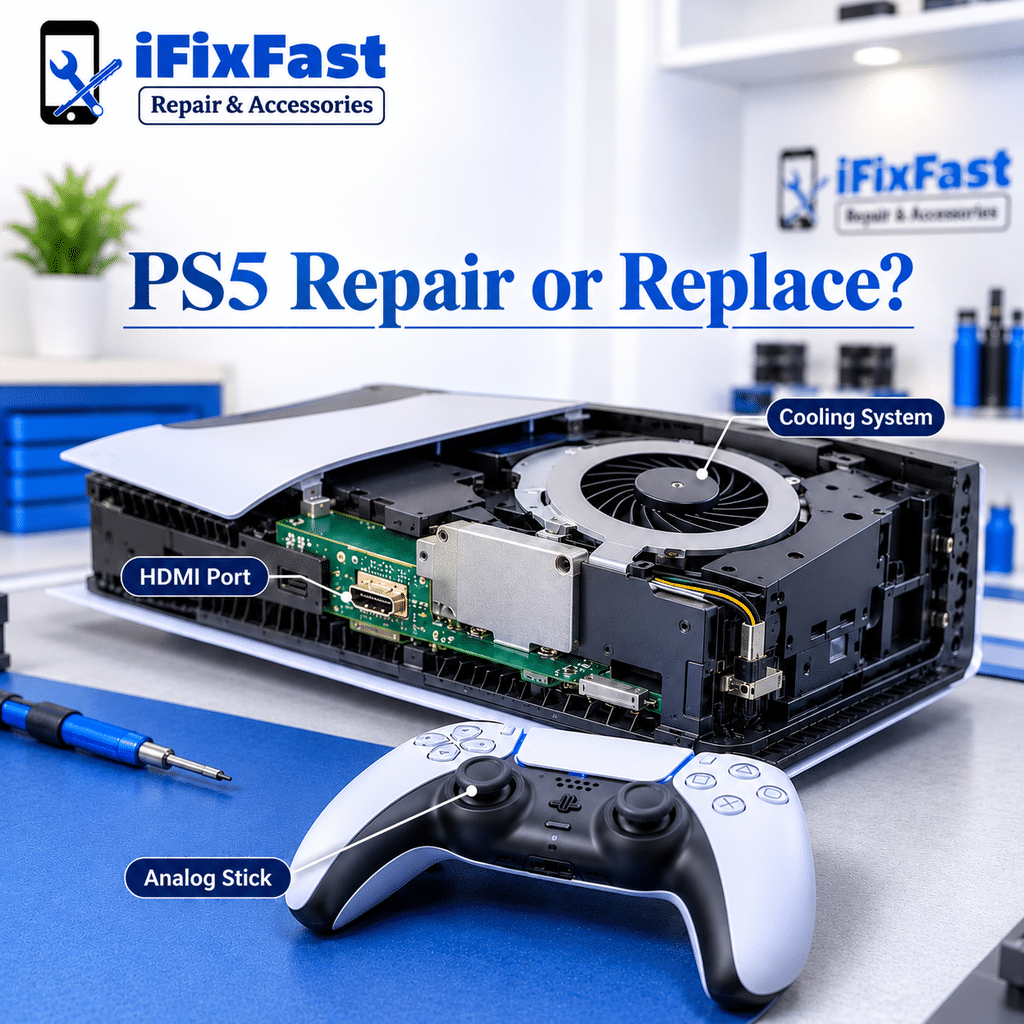
| Problem | Repair usually worth it? |
| HDMI port damage | Yes, much cheaper than a new console |
| Overheating / loud fan | Yes, cleaning is affordable |
| Stick drift | Yes, the module is a low-cost fix |
See all console services on our game console repair page.
Why choose iFixFast for PS5 repair in Raleigh?
- Local Raleigh technicians, rated Excellent on Google (262 reviews)
- Most repairs are completed within 30 minutes; complex jobs like micro-soldering can take longer
- Clear explanation of the problem and cost before work starts
- Free quote: get a quote
FAQ
How much does PS5 HDMI port repair cost?
It varies by damage, but it costs much less than buying a new console. Get a PS5 repair quote for your exact problem.
Can a PS5 HDMI port be fixed?
Yes. A technician can replace the port with micro-soldering.
Why is my PS5 so loud?
Dust and old thermal material force the fan to run harder. A professional cleaning usually solves it.
How do I fix PS5 stick drift?
Try a firmware update and cleaning. If that fails, replace the stick module.
Is there a PS5 repair shop near me in Raleigh?
Yes. iFixFast repairs PlayStation consoles at 6210 Plantation Center Dr STE 105, Raleigh, NC 27616. Call +1 919-399-0019 or visit Monday–Friday 10am–6pm, Saturday 11am–6pm, Sunday 12pm–6pm.
Do I need to send my PS5 away for repair?
iFixFast is a local walk-in shop in Raleigh, so you can bring your console in. It is a good idea to call +1 919-399-0019 before you come.
Is it safe to keep using a PS5 with a loose HDMI port?
We don’t recommend it. A loose or damaged port can get worse with every plug and unplug, and can put more strain on the connection. Stop using the console and get it checked.
Should I back up my game saves before a PS5 repair?
Yes, as a precaution. HDMI port, cleaning, and controller repairs don’t normally involve your saved data, but a backup protects you in every case.
Console not working? Get a PS5 repair quote or visit our Raleigh shop.
Leave A Comment