
Something’s off with your PC. Maybe it cut off twice this week and you just let it go. Maybe the fan’s louder than it used to be and you’ve been putting off dealing with it, since it still runs, so why bother.
Nobody thinks about their desktop until it quits on them. Then you’re up at eleven at night typing PC repair near me into your phone, hoping somebody nearby can take a look tomorrow.This piece isn’t a sales pitch. It’s a rundown of what actually breaks inside a desktop, why it breaks, and how to tell if the shop you’re calling knows what they’re doing.
Table of Contents
- Desktops Fail for Boring Reasons, Not Dramatic Ones
- What a Technician Actually Checks
- The Usual Suspects Behind a Dead or Dying PC
- How to Separate a Real Shop from a Guessing Game
- Finding the Best PC Repair Shop in Raleigh NC
- What Happens After You Drop Off Your Machine
- Final Thoughts
- FAQs
Desktops Fail for Boring Reasons, Not Dramatic Ones
Here’s something people don’t expect. Desktops rarely die from one big dramatic event. They die slowly, from heat, dust, and age, and the warning signs show up months before the actual failure.
Dust is the quiet killer here.
- It builds up inside the case and clogs the fans.
- It traps heat around the components that hate heat the most, the power supply and the processor.
- A PC that ran fine for three years straight can start acting up simply because nobody opened the case and cleaned it out.
Age matters too, though not in the way people assume.
- It’s not that parts have an expiration date stamped on them.
- Certain components, thermal paste, capacitors, fan bearings, wear down on a predictable timeline.
- This timeline usually falls somewhere between two and five years, depending on use.
Why This Matters Before You Call Anyone
Knowing this helps you describe the problem better when you finally call the best PC repair shop in Raleigh NC. Telling a technician “it’s been running hot and now it randomly shuts off” gets you a lot further than just saying “it’s broken.”
What a Technician Actually Checks
Real computer diagnostics Raleigh NC shops perform aren’t a quick glance and a shrug. There’s a sequence to it, and skipping steps is how people end up paying for parts that were never the problem in the first place.
A proper check usually covers:
- Power supply output, tested under actual load, not just whether the fan spins
- RAM, run through a stress test to catch errors that only show up after time
- Drive health, pulled from the drive’s own internal data, not guessed at
- Temperatures, watched while the system is doing real work, not sitting idle
Skip any one of these and you’re back to guessing. And guessing on a desktop repair usually means replacing the wrong part first.
The Usual Suspects Behind a Dead or Dying PC
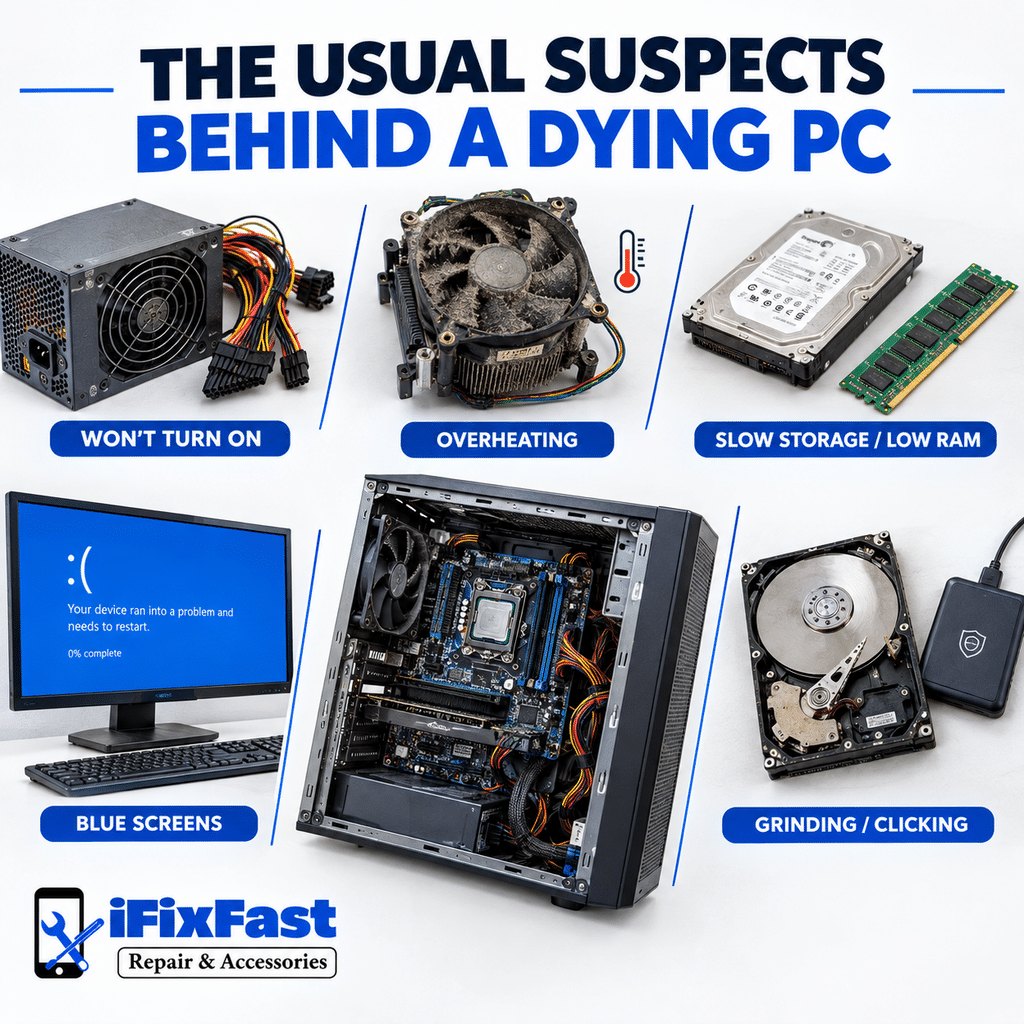
Here’s what actually shows up on a repair bench most weeks.
Won’t turn on at all. Fans might spin, screen stays black. Usually a power supply issue, sometimes a loose cable that came undone during a move or a cleaning.
Shuts down mid task. Almost always heat related. A processor hitting its thermal limit will shut the whole system down to protect itself.
Crawls through everything. Not usually the processor’s fault. More often a drive on its way out, or just not enough memory for what you’re asking it to do.
Random blue screens. Could be a driver conflict, could be failing memory. This is where computer troubleshooting Raleigh NC technicians earn their keep, since blue screens rarely explain themselves.
Grinding or clicking noise. If it’s coming from inside the case and it’s mechanical, that’s a hard drive giving you a warning. Back up your files immediately if you hear this.
Computer hardware repair on desktops tends to circle back to these five patterns again and again. The actual fix is often simpler than the symptom made it sound.
How to Separate a Real Shop from a Guessing Game
Anyone can hang a sign and call themselves the best PC repair shop in Raleigh NC, but not everyone behind that sign has earned it. Not everyone behind that sign actually tests before they start swapping parts.
A few things worth watching for:
- They open the case and look before quoting a price
- They can tell you what specifically failed, not just “it’s fixed now”
- They mention a warranty without you having to ask first
- They don’t push the most expensive fix as the only option
If a shop’s answer to every problem sounds suspiciously like “you probably need a new motherboard,” that’s worth a second opinion. A trained computer technician Raleigh NC residents actually trust will usually narrow the problem down to something smaller and cheaper before jumping to the expensive stuff.
Finding the Best PC Repair Shop in Raleigh NC
There’s no shortage of options when you search desktop repair near me in this area. The hard part is telling them apart from a listing alone.
Reviews help, but only the specific ones.
- A review that says “great service” tells you almost nothing.
- A review that says “diagnosed a bad power supply in twenty minutes and had it fixed by the next day” tells you a lot.
This is roughly the bar we hold ourselves to at ifixfast repair & accessories. Customers walk in describing a problem, and they walk out understanding what actually happened to their machine, not just that it’s been “fixed.”
Watch how that first call goes when you’re sizing up desktop computer repair Raleigh NC options. Does the person actually ask when things started going wrong, or do they just blurt out a price before you’ve even finished explaining?
PC Troubleshooting Isn’t Guesswork
Good PC troubleshooting follows a process. It rules things out one at a time until the actual cause is clear. If a shop can explain that process to you in plain language, that’s usually a decent sign they’re not making it up as they go.
What Happens After You Drop Off Your Machine
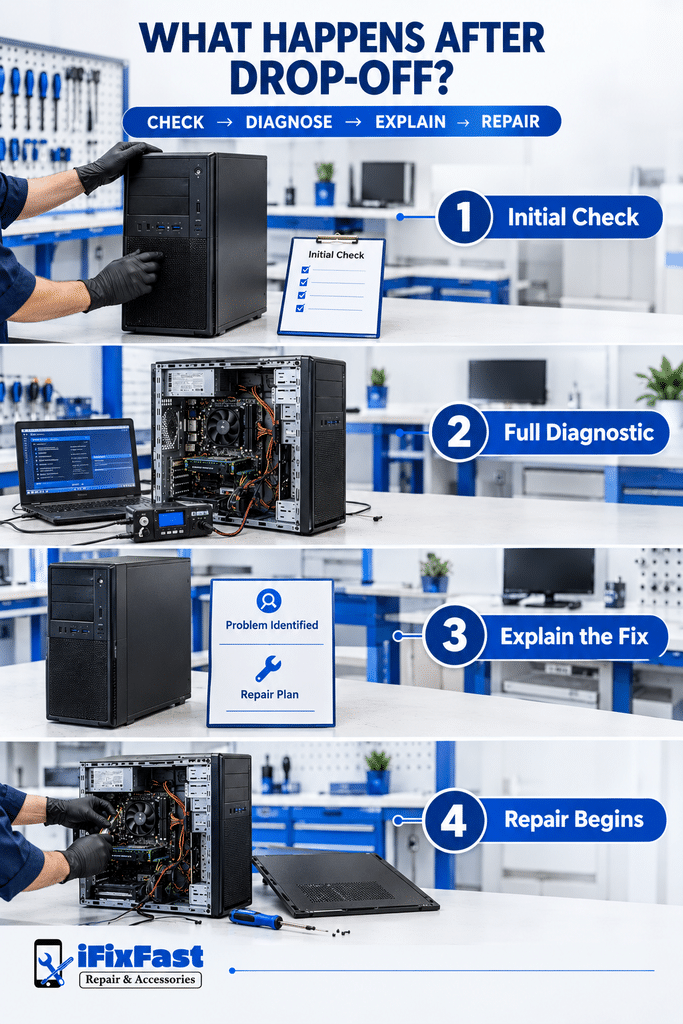
Most repairs follow a fairly predictable path once your desktop is on the bench.
- Initial check to confirm what you described and catch anything else
- Full diagnostic pass on the parts most likely involved
- A call or message explaining what’s wrong and what it’ll take to fix
- The actual repair, once you’ve said yes to the plan
Simple desktop computer troubleshooting, a driver issue, a startup conflict, can often be handled same day. Bigger jobs, a dead power supply, a drive that needs replacing, take longer depending on what’s in stock.
Final Thoughts
A desktop that’s acting up is telling you something, you just have to know what to listen for. Most of the trouble comes down to heat, dust, and age, and a technician who tests instead of guessing will land on the real cause much faster. The best PC repair shop in Raleigh NC isn’t the one with the flashiest ad. It’s the one that can explain, clearly, what broke and why.
FAQs
What’s the best PC repair shop in Raleigh NC for a desktop that won’t turn on?
Look for a shop that tests the power supply and internal connections before quoting anything. The best PC repair shop in Raleigh NC will tell you exactly what failed, not just that it’s fixed.
Can dust actually cause a computer to shut down?
Yes. Dust gets in the way, heat piles up around the processor and power supply, and eventually the system’s had enough and shuts itself down before anything gets fried.
How long does a typical desktop diagnosis take?
Somewhere between twenty minutes and an hour, depends on how much they end up needing to test. A same day answer is reasonable to expect for most issues.
Should I try to fix a grinding hard drive myself?
No. Turn the machine off. Get your files backed up somewhere else, now, not later. A drive that’s grinding like that could go at any second.
Is it worth repairing an older desktop?
Usually, yes, as long as it’s just one part that failed and everything else still holds up. Once repairs start costing near what a new machine would run you, it stops making sense.
Got a desktop giving you trouble? Talk to our team about what you’re seeing, or get a quote and we’ll go from there.
Leave A Comment