
Your laptop freezes an hour before a deadline.. The tower under your desk goes silent when you press the power button. You call the phone service. You type computer repair near me. You scroll through the same listings.
This guide shows what a trustworthy technician does. It lists the symptoms that mean you need a professional. It tells you what to ask before you hand over your device.
Table of Contents
- What the Best Computer Repair Shop Near Me Looks Like
- Warning Signs Your Computer Needs Professional Help
- Common Problems a Local Technician Can Fix
- What Local Raleigh Customers Should Expect
- Questions to Ask Before You Drop Off Your Device
- Simple Habits That Keep Your PC Healthy
- Final Thoughts
- Frequently Asked Questions
What the Best Computer Repair Shop Near Me Looks Like
A Best Computer Repair Shop Near Me will test first explain the fault in plain language protect your files and back the work with a written warranty. Recent reviews from neighbors and honest turnaround times matter as much as fancy equipment, on the repair bench.
Testing Comes Before Any Repair
Guessing wastes everyone’s time. A real technician runs computer diagnostics on memory, storage, power supply and temperatures before I suggest a fix. Many “dead” machines actually have a connector or a worn battery and a proper check catches that before anyone orders parts that are never needed.
Honest Communication
You should leave knowing what failed, what your options are, and what could go wrong. If a device has liquid damage, a good technician will say when opening it might make things worse.
Warning Signs Your Computer Needs Professional Help
When your computer keeps crashing, when your computer makes weird sounds, when your computer becomes too hot, when your computer becomes very slow suddenly, when your computer shows you pop-ups, when your computer doesn’t boot up, then contact an expert. I see these signs often mean your computer’s hardware is failing or your computer is infected. Waiting only worsens the damage. Puts your files at greater risk.
The Machine Will Not Power On
- If your computer does not start up, I believe you should begin with testing the outlet. The plug should be securely inserted into the wall.
- Also ensure the surge protector.
- If it still isn’t working, try plugging the computer into the wall.
Sometimes a simple fix, like this solves the problem.When the lights stay dark or the fans spin once and stop the issue is often a power supply. It could also be a faulty motherboard part or a dead laptop battery. Don’t keep pressing the power button over. That can make damaged parts worse.
Everything Feels Sluggish
If a computer takes forever to boot up or locks up when you’re doing stuff, it’s likely not because the hard drive is going bad, but because there isn’t enough memory or there’s too much junk software. Slow computer repair starts with figuring out which one of these is the problem. Fixing the thing won’t help. A slow computer is frustrating especially when you need to get work done.
Pop Ups and Odd Behavior
If the browser opens automatically with toolbars that you haven’t installed or the fan makes noise without having anything running, then there is a possibility of an infection on your computer. These are signs of malware. Proper virus removal cleans system files and checks for threats. Thorough malware removal goes further. It reviews browser settings startup programs and even checks passwords that might have been stolen. No detail is too small when dealing with infections.
Common Problems a Local Technician Can Fix
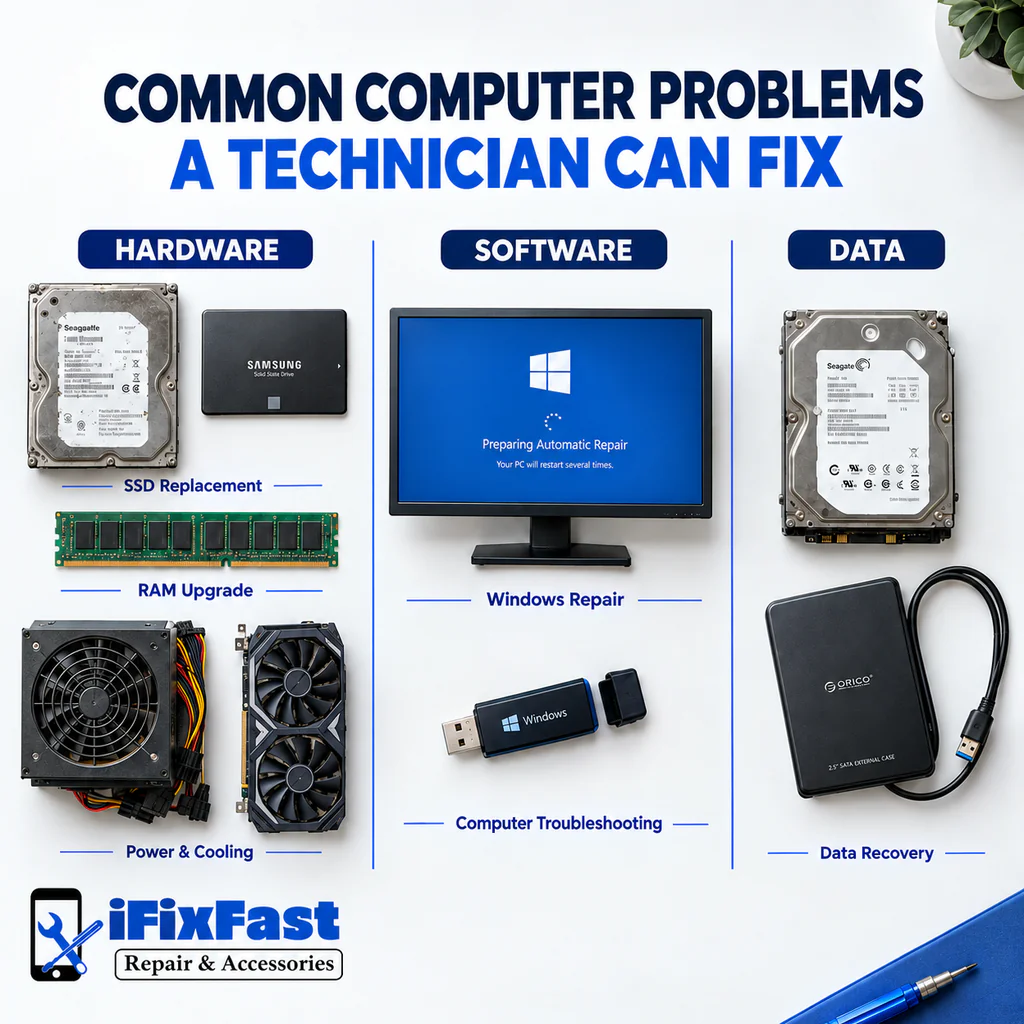
Technicians can fix much more than just cracked screens. They often handle failing storage drives, memory upgrades, reinstalling operating systems, cooling issues, power problems, virus cleanup and even recovering files from drives that won’t work anymore. Bringing your device in helps. The sooner you act the more repair options stay open. Don’t wait until it’s late.
Hardware Faults
- If an old spinning drive makes your laptop crawl, SSD replacement often brings back quick boot times.
- Video editing and dozens of open tabs can eat memory, so a RAM upgrade may stop the constant freezing.
- Tower systems have their own quirks, so desktop computer repair often involves the power supply, cooling, and graphics card.
Software and Data Problems
- A clean Windows installation clears corrupted system files, failed updates, and glitches that keep returning.
- Careful computer troubleshooting tracks down driver conflicts, startup errors, and blue screens.
- If files seem gone, stop using the device right away. Professional data recovery works best on a drive that has been left alone.
What Local Raleigh Customers Should Expect
Customers who live in the Raleigh area should be ready for a checkup, a simple explanation, and a repair schedule.
- The replacement of a screen, for instance, is expected to take about half an hour.
- Laptop repairs and the repair of desktop computers could take a few hours or even one whole day, depending on the type of problem.
A computer repair shop that residents of Raleigh NC continue to recommend will have positive reviews, an easy drop-off procedure, and technicians that will not rush to give answers to your questions.That is the standard we work toward at ifixfast repair & accessories, where customers bring in laptops, desktops, phones, tablets, and game consoles and get a straight explanation of what is wrong.
When you compare computer repair services Raleigh NC has available, notice the first conversation. Does the technician ask what you were doing when the problem started? When searching for PC repair, in Raleigh NC the results can look the same. That’s why it helps to choose reviews that mention:
- The problem
- The fix that worked
- When it happened
Questions to Ask Before You Drop Off Your Device
Ask whether the shop diagnosis before giving a quote. I also want to know how long the check takes. Will data be protected? What warranty covers the repair?
Once you have a shortlist, these questions help you find the best computer repair shop near me before anything leaves your hands.
Questions Worth Asking
- Will the service provider explain the problem before starting the repair?
- How long will the evaluation. How will the service provider reach me?
- Can I see the part when the job is done?
- What warranty covers the work?
Simple Habits That Keep Your PC Healthy

Regular care helps prevent breakdowns. Keep the system updated. Clear dust from vents. Back up files every week. Avoid downloads. Watch for early warning signs like noise or heat. A yearly checkup, by a technician catches problems long before they cause downtime.
Habits for Home
- Install system and driver updates when they appear
- Clear vents with compressed air every few months
- Keep two copies of important files, one local and one in the cloud
Jobs for a Technician
Routine computer maintenance goes deeper than wiping the screen. A technician can test drive health, replace dried thermal paste, and review startup programs, and a full computer tune up also looks for hidden malware and leftover software that drags performance downN. The best computer repair shop near me should be glad to run these preventive checks before trouble starts.
Final Thoughts
The best computer repair shop, near me listens first tests thoroughly and tells you the truth even when the answer is unexciting. Pay attention to how the computer repair shop Raleigh NC treats your first question because that habit usually carries through the whole repair. Whether your machine is slow, silent or just acting strange acting early gives you options and protects your files.
Frequently Asked Questions
How do I find the best computer repair shop near me?
Check out the recent google reviews, make sure the shop tests before quoting, and ask about warranty on the repair. A quick stop also shows you how organized and honest the team is.
Is it better to repair or replace an older computer?
Repair is reasonable when one broken piece is holding back an otherwise capable machine. Replacement is smarter when several parts are failing or the system can no longer run current software.
How long does a typical repair take?
Simple jobs like screen or battery swaps can take about thirty minutes, and many are done the same day. Deeper faults on laptops and desktops depend on testing and parts availability.
Will my files be safe during a repair?
When you go to have your device repaired most repairs leave your files untouched. Still a fresh backup is always the move. Tell the technician which documents matter most before you drop off the device.
What should I do before bringing my computer in?
Backup what you can, note the symptoms and when they started, bring your charger. Avoid forcing a dead machine to start, since repeated attempts can add damage.
Ready to get your computer back on track? Contact our repair team with your questions, or get a quote for your device today.
Leave A Comment