
A fast fix computer repair services provider typically diagnoses common issues like slow performance, boot failures, or virus infections within the hour, with most straightforward repairs completed the same day rather than left sitting on a shelf for a week.
Speed matters here for a reason beyond convenience. A computer that will not start is often connected to work, school, or a business that cannot pause while parts get ordered somewhere out of state. Knowing what actually determines repair speed, and which problems you can safely try to solve on your own first, changes how you approach the whole situation.
This article covers a handful of things you can check yourself before booking anyone, what actually controls how quickly a shop can turn your machine around, and how to tell a genuinely fast, capable technician apart from one that is simply overbooked.
In this guide:
- Quick Fixes Worth Trying First
- Signs a Professional Repair Is the Better Call
- What Actually Determines Repair Speed
- How to Get Your Repair Done Even Faster
- Comparing Your Local Repair Options
- Common Reasons Repairs Take Longer Than Expected
- PC Repair and Computer Repair, Is There a Real Difference
- What a Reliable Shop Should Offer You
- Frequently Asked Questions
- Final Thoughts
Quick Fixes Worth Trying First
Before booking a fast fix computer repair services appointment, a few basic steps can solve more than people expect, especially for a machine that has simply slowed down over time. If you are researching how to fix a slow computer on your own, start with:
- Restarting the machine fully instead of just closing the lid or screen
- Uninstalling programs you no longer use that run in the background
- Checking available storage space, since a nearly full drive slows everything down
- Running a full malware scan with updated antivirus software
- Clearing browser cache and disabling unused startup programs
- Updating the operating system and drivers to their current versions
These same steps apply broadly to anyone wondering how to fix a computer that feels sluggish without an obvious cause. If none of this helps within a reasonable amount of time, the issue is likely hardware related rather than something a setting can fix.
Signs a Professional Repair Is the Better Call
Some problems are not worth troubleshooting alone, either because the risk of making things worse is high or because the fix requires tools most people do not own. Bring the machine in when you notice:
- The computer will not power on at all, even briefly
- Strange clicking, grinding, or whirring sounds from inside the case
- A cracked screen, broken hinge, or physically damaged keyboard
- Repeated blue screens or crashes even after a full restart
- Liquid spilled on or inside the device recently
- Data you need urgently trapped on a drive that will not boot
At this stage, a fast fix computer repair services provider becomes the more sensible option than continuing to guess.
What Actually Determines Repair Speed
Turnaround time is rarely random. A handful of factors genuinely control how quickly a shop can hand your machine back to you.
- Whether the shop already stocks the part your model needs
- How many repairs are ahead of yours in the current queue
- Whether the issue is a straightforward swap or a deeper diagnostic
- The age and rarity of your specific laptop or desktop model
- Whether data recovery is involved, which typically adds time
- How clearly you can describe the symptoms when you drop it off
A shop advertising fast fix computer repair should be able to explain, specifically, which of these factors applies to your situation rather than giving a generic same day promise for every case.
How to Get Your Repair Done Even Faster
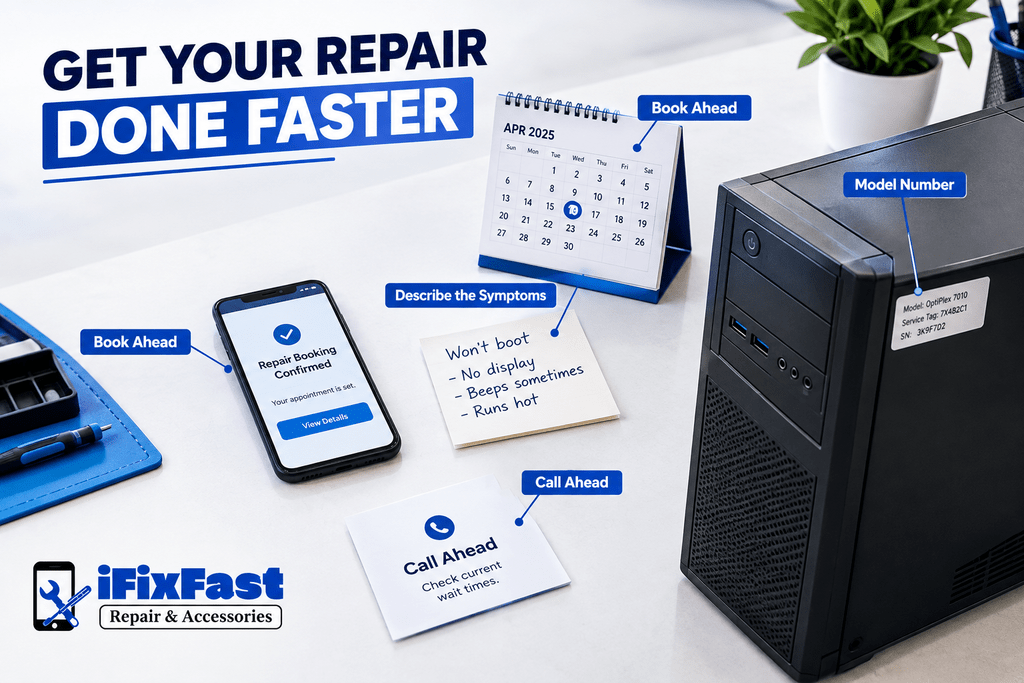
A few small things on your end can shave real time off the process before you even walk in. If speed matters to you, a fast fix computer repair services provider will usually move quicker when you:
- Bring the exact model number and any part details you already know
- Describe symptoms specifically rather than saying it is just slow
- Book a quote online ahead of time instead of walking in cold
- Avoid dropping off right before a weekend or holiday rush
- Call ahead and ask about current wait times before heading over
None of these guarantee a same day fix, but together they remove the guesswork that tends to slow a shop down the most.
Comparing Your Local Repair Options
Searches like computer fix near me, computer technician near me, or where can i fix my computer usually come down to wanting someone local who can look at the machine today, not a mail in service with a two week turnaround. Whether you call it a computer repair shop or a technician’s office, a few things are worth comparing across nearby options:
- Whether walk ins are accepted or an appointment is required
- Same day diagnostic availability versus a multi day wait just to get looked at
- Whether the shop works on both laptops and desktops
- Reviews that mention actual turnaround time, not just friendliness
ifixfastnc repair & accessories is one option built specifically around same day, walk in service for exactly this kind of situation. You can learn more about their approach at ifixfast repair & accessories.
Common Reasons Repairs Take Longer Than Expected
Even a well run shop runs into delays sometimes, and knowing why helps set realistic expectations from the start. The usual culprits include:
- A part that turns out to be backordered or discontinued for older models
- A second, unrelated issue discovered once the technician opens the machine
- An original problem description that was too vague to diagnose quickly
- A shop handling more repairs than its technicians can reasonably manage
- Needing your approval mid repair before the technician can continue
None of these are red flags on their own, but a shop that explains delays clearly is very different from one that goes quiet until you call asking for an update.
PC Repair and Computer Repair, Is There a Real Difference
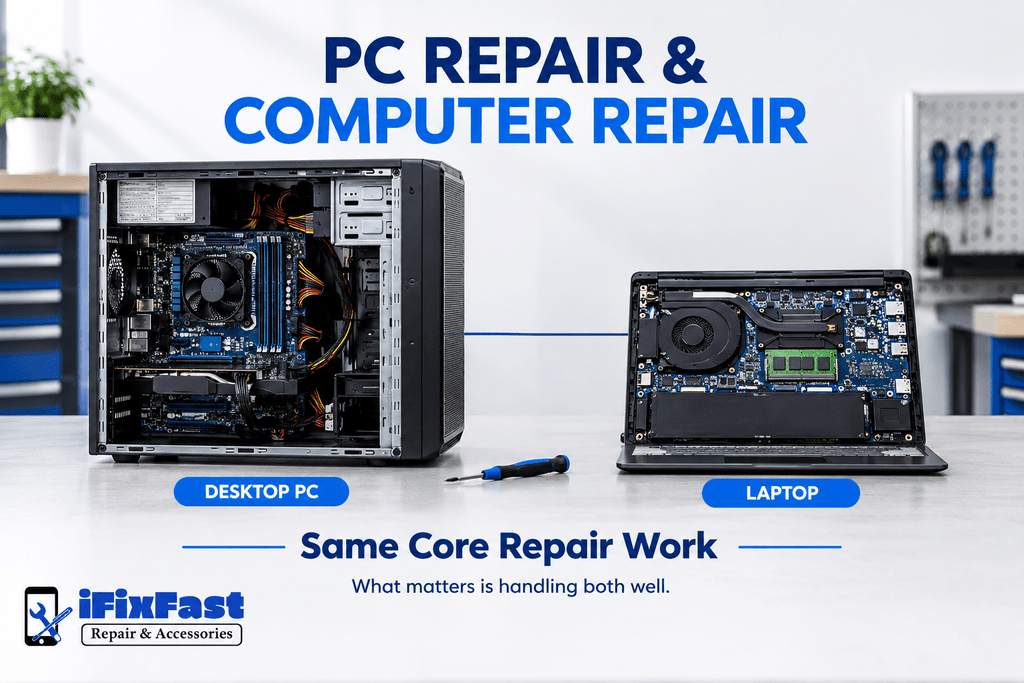
Not really, at least not in practice. Pc repair services, computer repair services, and fast fix computer repair services generally refer to the same work, diagnosing and fixing desktops and laptops running Windows, though some people use pc specifically to mean a desktop tower rather than a laptop. The terminology varies by region and by how someone grew up describing their machine, but the actual repair process behind either phrase is identical.
What matters more than the label is whether the shop you choose actually handles both laptops and desktops competently, since plenty of technicians specialize in one and struggle with the other.
What a Reliable Shop Should Offer You
A dependable fast fix computer repair services provider tends to share a few traits regardless of location or size. Look for:
- A clear diagnostic before any part is ordered or charged
- Transparency about whether parts are new, refurbished, or used
- A written estimate before work begins, not after
- Some form of warranty covering both parts and labor
- Staff who explain the issue in plain language, not jargon
A shop willing to walk through each of these points without hesitation is usually one worth trusting with a repair that matters.
Frequently Asked Questions
How fast can a computer repair actually be done?
Many straightforward issues, like a failing battery or a slow hard drive, can be resolved the same day once the correct part is confirmed in stock. Fast fix computer repair services typically reserve longer timelines only for deeper diagnostics or parts that need to be ordered.
Can I fix a slow computer myself before paying for a repair?
Yes, many slowdowns come from storage clutter, malware, or too many startup programs, all of which are fixable without a technician. If those steps do not help, the issue is likely hardware related and worth bringing in.
Is it worth paying for a computer diagnostic?
Yes, a proper diagnostic prevents you from paying to replace a part that was never actually the problem. It also gives you an accurate timeline instead of a guess.
What should I back up before a repair?
Photos, documents, and any files you cannot easily replace should be saved to an external drive or cloud storage beforehand. This protects your data regardless of what the repair itself involves.
Do all repair shops offer a warranty?
No, warranty coverage varies significantly between shops and should always be confirmed before you agree to any work. A shop hesitant to commit to a warranty is worth reconsidering.
Final Thoughts
A slow or broken computer rarely needs to mean days of downtime or blind guessing about what actually went wrong. Between trying a few fixes yourself and knowing what genuinely fast fix computer repair services should look like once you do need help, the whole process becomes far less stressful.
Ready to get it looked at properly? Contact iFixFastNC today for an honest diagnostic, or get a quote online and skip the guesswork entirely.
Leave A Comment