
You charge your HP laptop overnight, unplug it in the morning, and by lunch the battery is already begging for an outlet. A few months ago this same laptop lasted through back to back meetings without a second thought. Something changed, and it’s not just in your head.
Fast battery drain almost always comes down to one of two things: how the laptop is being used, or the battery itself wearing out. This article walks through both, starting with what you can check today, and ending with how to know when an hp laptop battery replacement, sometimes searched as an hp laptop notebook battery replacement, is actually the answer rather than just another setting to tweak.
Table of Contents
- What’s Actually Causing the Drain
- Fixes Worth Trying First
- When the Problem Is the Battery, Not the Settings
- Replacing the Battery Yourself
- A Few Extra Notes for HP Envy Owners
- Matching the Right Battery to Your Laptop
- Don’t Rule Out the Charger
- DIY or Professional: How to Decide
- Frequently Asked Questions
What’s Actually Causing the Drain
Before you jump straight to an hp laptop battery replacement, it’s worth understanding what’s actually pulling power while you’re not looking.
- Several browser tabs and apps left running in the background
- Screen brightness turned up higher than it needs to be
- Windows updates or antivirus scans quietly running while unplugged
- Bluetooth, Wi Fi, or a keyboard backlight left on out of habit
- A battery that has simply aged past its original capacity
- Power settings that were never tuned for efficiency in the first place
Usually it isn’t one single culprit. It’s a combination that builds up slowly, which is exactly why the drain can feel sudden even though it’s been happening for a while.
Fixes Worth Trying First
A battery that seems to be failing isn’t always the actual problem, so it’s worth ruling out the easy stuff before assuming the worst.
Quick settings to check:
- Lower your screen brightness and switch Windows to a balanced or power saving mode
- Close anything running in the background that you’re not using
- Check Task Manager for apps quietly pulling more power than they should
- Turn off Bluetooth and any keyboard backlight when you’re not using them
Check your battery’s actual health:
There’s also a quick way to check what your battery is actually capable of. Open a command prompt and type powercfg /batteryreport, and Windows will generate a report comparing your battery’s current capacity to what it was designed for. That single number tells you a lot about whether you’re dealing with a habits problem or a hardware one.
When the Problem Is the Battery, Not the Settings
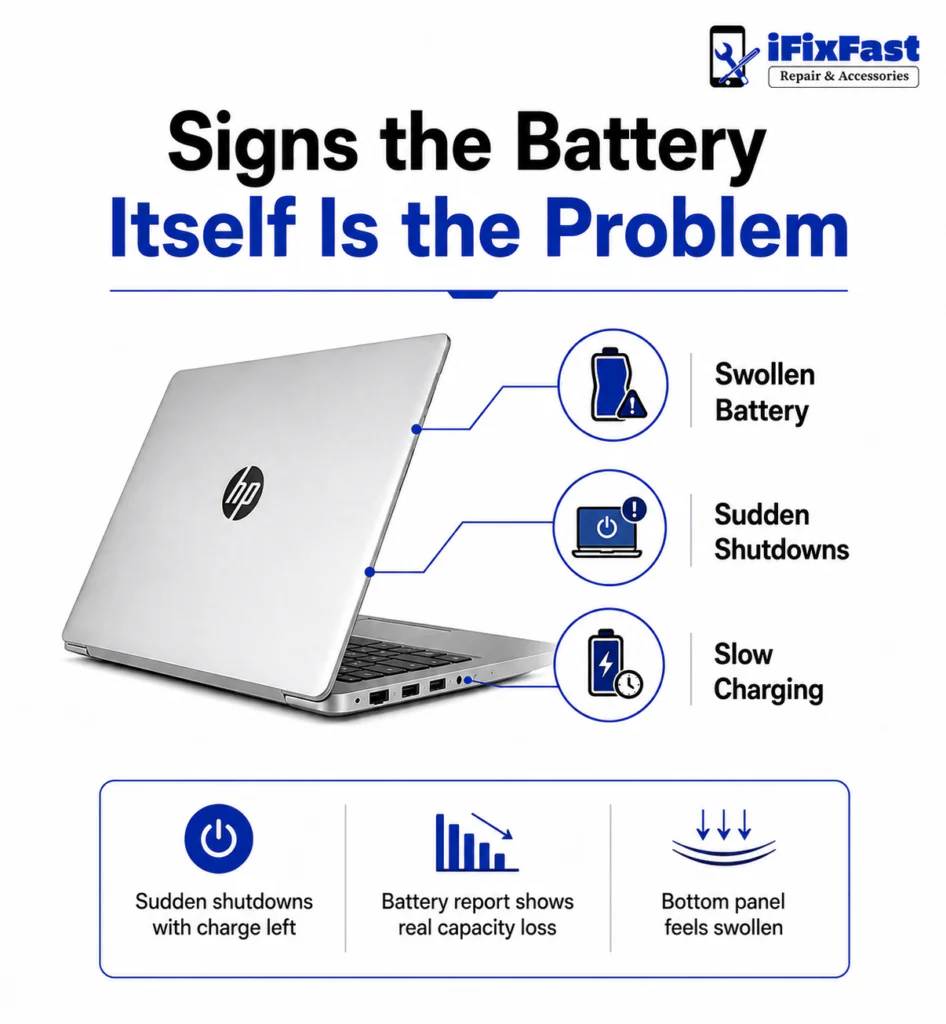
If none of the quick fixes make a real difference, these are the signs that point to genuine battery wear rather than something you can adjust in settings.
- The battery report shows a noticeable drop from its original design capacity
- The laptop shuts off unexpectedly while the battery still shows charge remaining
- Windows itself displays a message recommending the battery be replaced
- The bottom panel feels swollen or the laptop no longer sits flat
- A full charge takes far longer than it used to, or stops early
One of these on its own is worth keeping an eye on. Two or three together usually means you’re past the point where settings changes will help, and an hp laptop battery replacement is worth looking into seriously.
Replacing the Battery Yourself
For anyone comfortable with small tools, replacing hp laptop battery hardware is something a lot of people manage at home. Here’s roughly how to replace hp laptop battery units, whether the battery is removable or built in.
Before you start:
- Shut the laptop down completely and unplug the charger
- Touch a metal surface or use an anti static wrist strap before opening anything, since static discharge can quietly damage internal parts
- Check whether your model has a bottom latch (older HP laptops) or requires screws (newer models) to access the battery
Swapping the battery:
- Locate the small connector linking the battery to the motherboard and gently unplug it with a plastic tool rather than pulling on the wires
- Lift the old battery out, noting how it was sitting
- Set the new battery in exactly the same way and reconnect the cable
- Put the panel back on, power the laptop up, and check that Windows recognizes the new battery and starts charging normally
Screw count and panel design vary between models, but this general process covers most consumer and business HP laptops.
Matching the Right Battery to Your Laptop
Finding a replacement battery for HP laptop models isn’t about guessing based on the model name. A few details matter more than that.
- Part number: The sticker on the bottom of the laptop, or the label on the old battery, has the exact number you need
- Voltage and watt hour rating: These need to match the original battery for the laptop to charge it correctly
- Physical size: Some higher capacity batteries are simply too large for certain chassis, so check dimensions before buying
- Connector shape: Two batteries can look nearly identical and still have completely different connectors
Getting these details right the first time saves you from ordering something that arrives and just doesn’t fit.
Don’t Rule Out the Charger
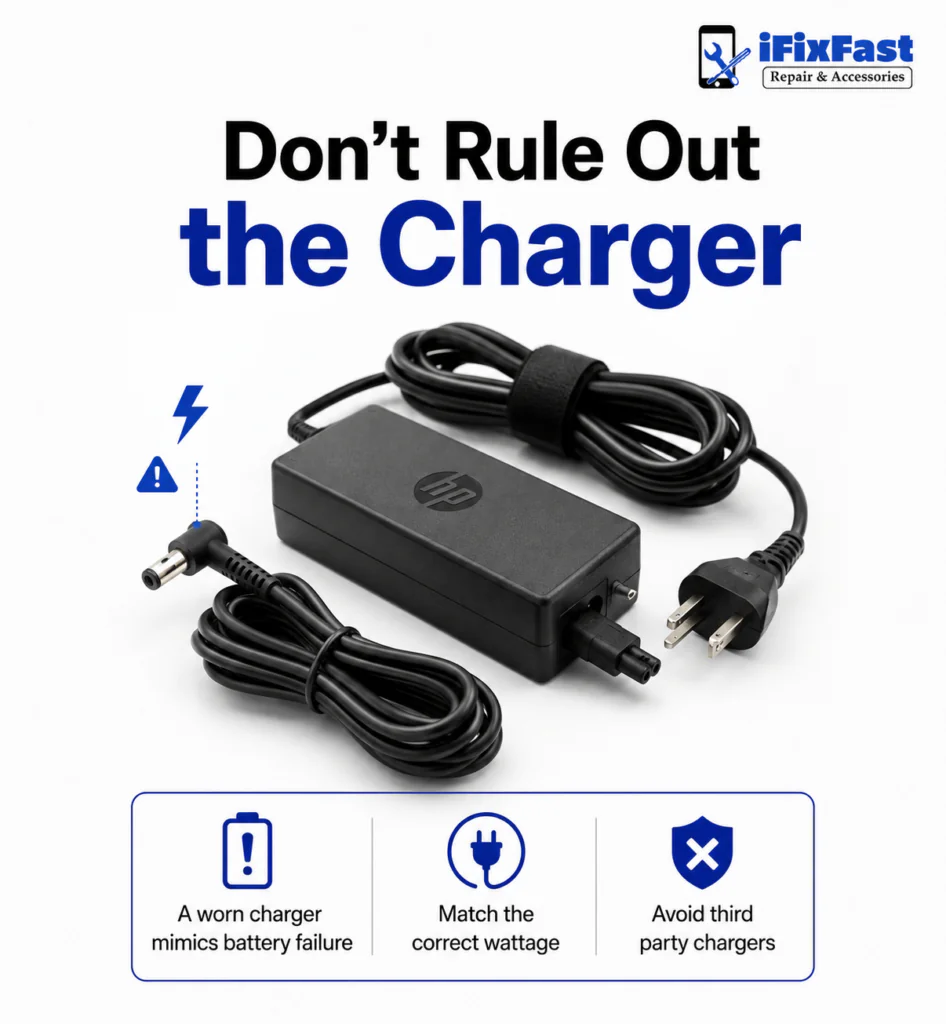
Sometimes what looks like fast battery drain is actually an hp laptop battery charger replacement waiting to happen.
Common charger issues that mimic battery failure:
- A worn out charger
- A loose charging port
- A third party charger with the wrong wattage
What to do instead:
- Stick with the charger that came with your laptop, or a genuine HP replacement rated for the correct wattage
- Avoid leaving the laptop plugged in at full charge for days on end
- Unplug it now and then to let the battery cycle the way it’s meant to
DIY or Professional: How to Decide
Once you’ve confirmed the battery is actually the issue, the next question is who does the hp laptop battery replacement. Plenty of people are perfectly happy opening up their own laptop, and just as many would rather not. Both are reasonable.
Signs a professional is the better call:
- Your model has a sealed or glued in battery
- Working around small components makes you nervous
- You’d rather have someone else handle it and get it right the first time
An hp battery replacement for laptop hardware done by a technician is often the better call in these cases. A shop that does this daily can match the correct battery to your exact model and get everything reinstalled safely around the motherboard and cooling components, usually within the same day.
Frequently Asked Questions
Is it worth replacing an HP laptop battery?
In most cases, yes, especially if the rest of the laptop still runs well. An hp laptop battery replacement is almost always cheaper and faster than replacing the whole device.
Can I replace the battery in my HP laptop myself?
Many models allow for a straightforward DIY swap with basic tools. Laptops with sealed or glued in batteries are better left to a professional.
How much does a battery replacement cost for an HP laptop?
It depends on the model and whether you go the DIY route or have it professionally installed. A local repair shop can give you an accurate number based on your exact laptop.
How do I find the correct battery for my HP laptop?
Look for the part number on the battery itself or on the sticker on the bottom of the laptop. Matching the voltage, capacity, and connector type is what actually matters.
How do I know if my HP laptop needs a new battery?
Fast draining, random shutdowns, and a battery warning in Windows are the clearest signs. A swollen bottom panel usually means an hp laptop battery replacement can’t wait much longer.
What kills a laptop battery the most?
Heat and repeatedly draining the battery all the way to zero are two of the biggest culprits. Keeping a laptop plugged in at full charge for extended stretches doesn’t help either.
Fast battery drain is frustrating, but it rarely comes out of nowhere. Between background apps, charging habits, and a battery reaching the end of its useful life, most HP laptop owners can pinpoint the cause with a little troubleshooting, and know exactly when it is time to make the switch to a fresh battery instead of living with a laptop that never quite makes it through the day. If the drain turns out to be hardware related, a quick visit to a repair shop like iFixFast can confirm whether an hp laptop battery replacement is really needed before you spend money guessing.