
Your Dell laptop used to make it through an entire workday on one charge. These days it struggles to survive a single meeting, shuts off out of nowhere, or won’t hold any power at all. Sound familiar? A Dell laptop battery replacement is probably the fix you’re looking for.
This guide covers the warning signs worth watching for, whether replacing the battery is actually worth it, how the process works, and how to track down a replacement battery for a Dell laptop no matter which model sits on your desk.
Table of Contents
- Warning Signs Your Battery Needs Replacing
- Is It Actually Worth Replacing
- The Step by Step Replacement Process
- Installing a New Battery in an Inspiron
- Choosing the Correct Battery for Your Model
- When Professional Help Makes Sense
- Battery Care Tips
- Battery Safety and Disposal
- Frequently Asked Questions
Warning Signs Your Battery Needs Replacing
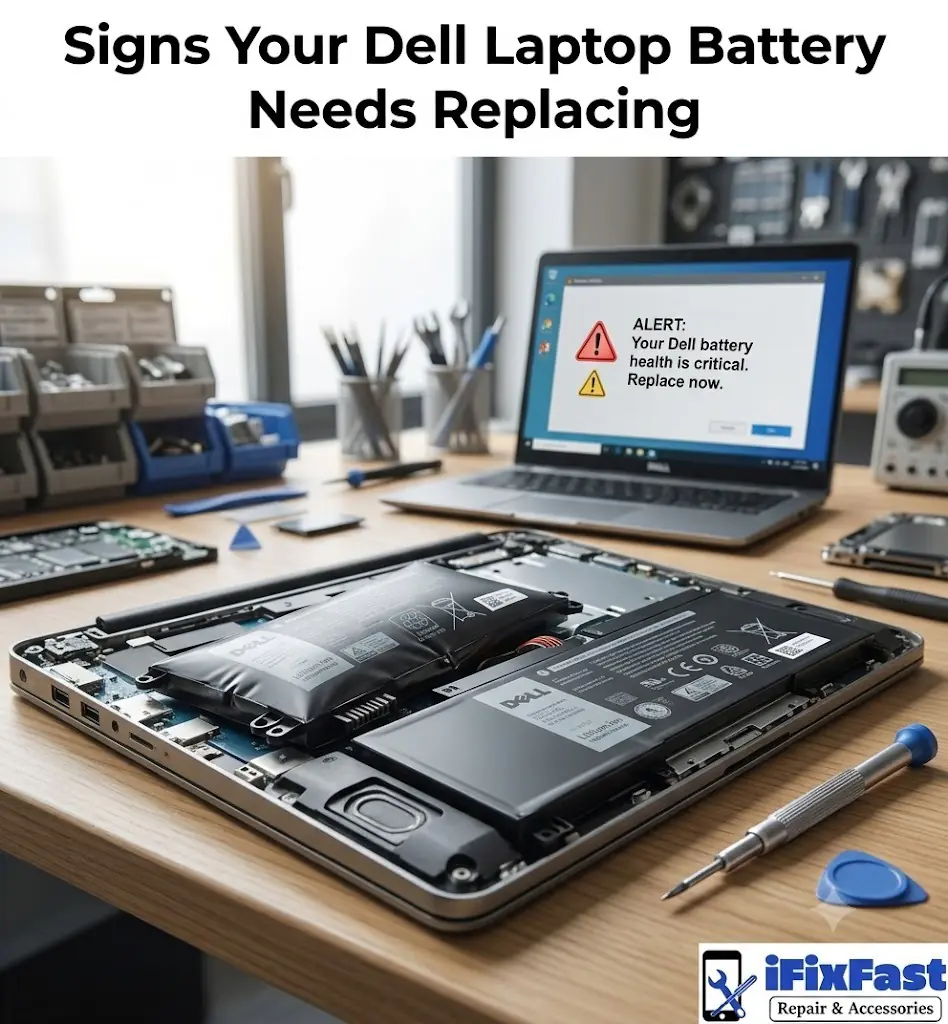
Before you spend time replacing the battery in Dell laptop hardware, it helps to confirm the battery is actually the culprit. Here’s what tends to give it away.
- The battery percentage drops fast, even during light use like browsing or typing
- The laptop shuts down suddenly while the indicator still shows charge left
- Windows pops up a message suggesting the battery should be replaced
- The bottom of the case feels swollen, warped, or won’t close flush anymore
- Charging takes noticeably longer, or the battery won’t climb past a certain percentage
- The laptop only turns on while it’s plugged straight into the charger
Any one of these by itself is worth paying attention to. See two or three together, and you’re likely well past the point where the battery is just having an off day.
Is It Actually Worth Replacing
This is the question most Dell owners land on once their laptop starts acting up, and honestly, the answer comes down to the rest of the machine.
If everything else still runs the way it should, a Dell laptop battery replacement is almost always the smarter move. You get your portability back, and you skip the cost and hassle of setting up an entirely new device from scratch.
Where it gets murkier is when the laptop is already showing its age in other ways, a hard drive on its last legs, a processor that chokes on anything modern. At that point it’s worth asking whether the machine as a whole still pulls its weight.
The Step by Step Replacement Process
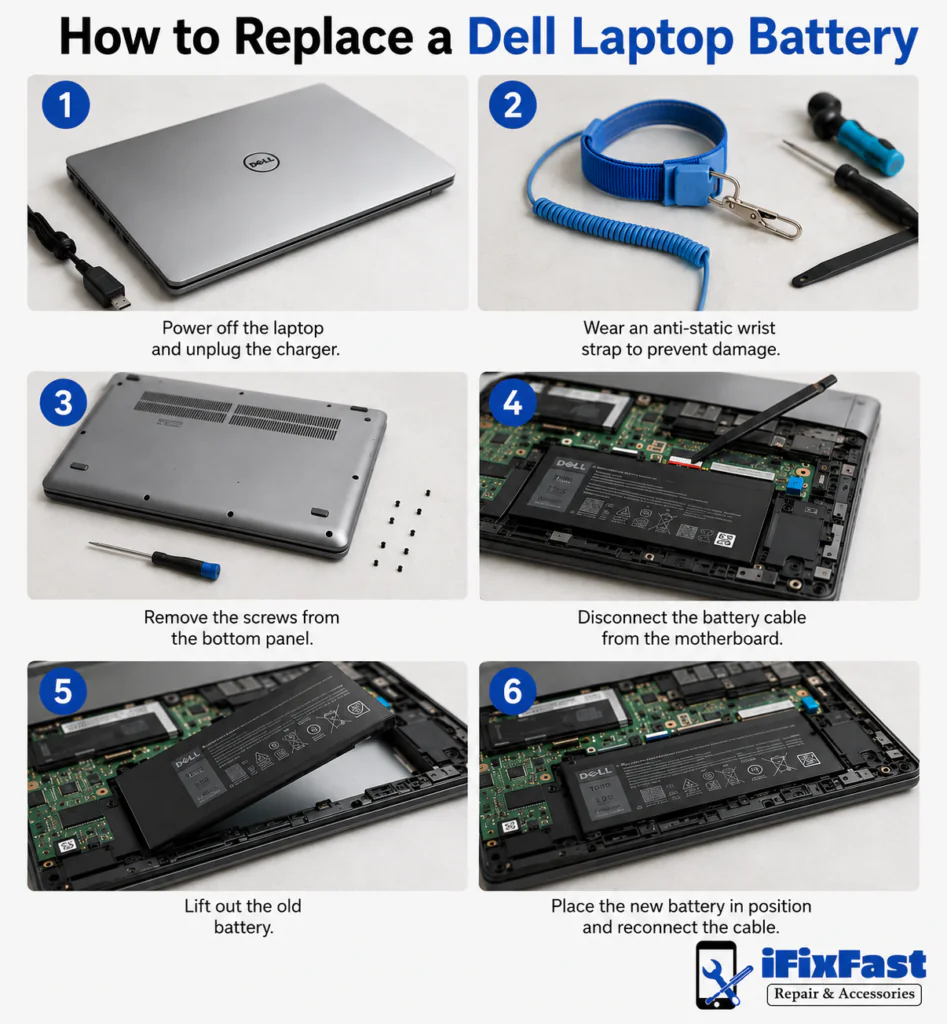
If you don’t mind working with small screws and getting your hands into the case, a battery replacement for Dell laptop hardware is something plenty of people handle themselves over a weekend. Below is how to replace laptop battery Dell models step by step, whether yours is removable or built in, and it’s also how to replace Dell laptop battery packs that are glued into place.
Start by shutting the laptop down fully and unplugging the charger. Ground yourself first by touching a metal surface or wearing an anti static wrist strap, since static discharge can quietly damage internal parts. Most current Dell laptops need a handful of Phillips head screws removed to get the bottom cover off, though older models sometimes have a battery that simply slides or clicks free with no disassembly at all.
Once inside, find the small connector linking the battery to the motherboard and unplug it gently with a plastic spudger, never by tugging the wires. Lift the old battery out, note how it was seated, and slot the new one in the same way before reconnecting the cable. Put the panel back on, power it up, and confirm it’s charging normally.
Screw count and panel layout shift from model to model, but this covers the general process across most consumer and business Dell laptops.
How to Install Replacement Battery for Dell Laptop and Inspiron Models
Owners hunting for a replacement battery for Dell Inspiron laptop models, one of Dell’s most popular consumer lines, will find the process nearly identical to what’s described above, with a few Inspiron specific notes.
Many Inspiron models use an internal battery held in with screws and a bit of adhesive, so a plastic prying tool helps avoid marking up the case while getting the old battery loose. On some newer versions, the battery cable runs close to the cooling fan, so work a little carefully there.
Once the new battery is in and reconnected, boot back into Windows and glance at the battery icon in the taskbar to confirm it’s charging correctly.
Picking the Right Replacement Dell Laptop Battery
Finding the correct battery for your specific model isn’t about guessing based on the name printed on the laptop. A few details actually matter here.
- Service tag lookup: Your laptop’s seven character service tag, on the bottom sticker, is the surest way to confirm the exact battery you need
- Part number match: If the old battery is out, its printed part number can be searched directly for a compatible match
- Voltage and watt hour rating: A proper replacement needs to match the original battery’s voltage and capacity, or power management won’t behave correctly
- Cell count and physical fit: Higher capacity batteries are sometimes bigger and won’t fit every chassis, so check dimensions before ordering
Getting these details right the first time saves you the headache of a battery for a Dell laptop that looks close enough but doesn’t actually fit.
When to Choose a Professional Dell Laptop Battery Replacement Service
Not every Dell owner wants to crack open their own laptop, and that’s a completely fair call. There are situations where handing it to a trusted repair shop just makes more sense.
If your laptop has a sealed or glued in battery, if you’re not comfortable around small components, or if you’d simply rather have it handled quickly, a professional technician can usually finish the swap the same day, with the battery matched properly to your model and installed with care around the motherboard and cooling system.
Battery Care Tips
Once the new battery is in, a handful of everyday habits go a long way toward making it last.
- Avoid letting the battery drain all the way down on a regular basis
- Keep the laptop away from direct heat and extreme cold whenever you can
- Stick with the manufacturer’s charger instead of a mismatched third party one
- Store the laptop at roughly half a charge if it’s going to sit unused for a while
- Make sure there’s decent airflow while it’s plugged in and running
None of this stops a battery from eventually aging out, but good habits genuinely stretch how long it holds a solid charge.
Battery Safety and Disposal
A swollen or overheating battery isn’t something to sit on. If the bottom panel is bulging, the trackpad feels off from pressure underneath, or the laptop is running unusually hot, stop using it right away.
- Power the laptop off and unplug it immediately
- Don’t press on, puncture, or try to flatten a swollen battery
- Keep it well away from heat sources and anything flammable
- Skip the household trash entirely
- Drop it off at a local electronics retailer or recycling point, most take lithium batteries free of charge
Lithium batteries carry a genuine fire risk once they’re damaged, so if you’re at all unsure, let a technician remove it rather than handling it on your own.
Frequently Asked Questions
Is it worth replacing a Dell laptop battery?
In most cases, yes, as long as the rest of the laptop still runs well. A Dell laptop battery replacement is usually far more practical than buying an entirely new machine outright.
How much does it cost to replace a battery on a Dell laptop?
It depends on the laptop model and whether you go the DIY route or have it professionally installed. A local repair shop can give you an accurate quote based on your exact model.
Can I replace a Dell laptop battery myself?
Many Dell laptops allow for a DIY swap with just basic tools and some patience. That said, models with sealed or glued in batteries are safer left to a professional.
How many years does a Dell laptop battery last?
Most last somewhere between two and four years under regular use before performance starts noticeably declining. Heavy daily use tends to shorten that window.
How do I know if my Dell laptop needs a new battery?
Fast draining, sudden shutdowns, and a battery warning message in Windows are the clearest tells. A swollen bottom panel usually means a Dell laptop battery replacement can’t wait much longer.
What kills a laptop battery the most?
Heat exposure and repeatedly draining the battery down to zero are two of the biggest factors behind shortened battery life. Leaving a laptop plugged in at full charge for long stretches doesn’t help either.
Whether you end up handling the swap yourself or bringing it somewhere, dealing with a failing battery sooner rather than later keeps your Dell laptop running the way it’s supposed to, without the constant frustration of surprise shutdowns or a machine that’s basically chained to its charger. For anyone who’d rather skip the disassembly altogether, a repair shop that works on Dell laptops regularly can confirm the right battery and get it installed without the guesswork.