
Staring at a cracked or dead laptop display, most people jump straight to the same question: is this thing even worth fixing? It’s a fair question. A damaged screen can make a perfectly good machine feel useless overnight, and the instinct to just buy a new one is understandable.
But in a lot of cases, a laptop replacement screen brings the device right back to full function for a fraction of what a new laptop would cost you in setup time alone — reinstalling software, transferring files, relearning a new keyboard layout. Before you write off your current machine, it’s worth walking through the actual factors that should drive this decision.
Start With What’s Actually Wrong
Not every screen issue is the same, and the fix depends on which one you’re dealing with:

- A cracked or shattered panel — usually from impact, and almost always needs a full laptop display replacement
- Flickering or flashing — could be the panel, but often points to a loose cable or graphics driver issue
- Vertical or horizontal lines — typically a sign the panel itself is failing internally
- A screen that stays black — check if the laptop still boots (listen for fans, check an external monitor) before assuming the worst
- Dim or dark patches — often backlight-related rather than a full panel failure
If you’re unsure, plugging the laptop into an external monitor is the fastest way to narrow things down. A clean picture externally usually confirms the internal display is the problem.
Age and Condition Matter More Than the Crack Itself
A cracked screen on a two-year-old laptop is a very different situation than the same crack on a machine that’s been running for six or seven years. Ask yourself:
- Is the battery still holding a decent charge?
- Does the laptop run current software without lagging?
- Are the keyboard, trackpad, ports, and speakers all still working fine?
- Would this laptop still meet your needs for the next year or two?
If the answer to most of these is yes, a broken laptop screen repair is almost always the more practical route. You’re fixing the one thing that’s actually wrong instead of replacing everything that still works perfectly well.
When Replacing the Whole Laptop Makes More Sense
There are situations where putting money into a screen repair doesn’t make sense:
- The laptop is already several generations behind on processing power
- Other components (battery, hinges, keyboard) are also failing
- The specific laptop screen replacement parts for that model are hard to source
- You’ve been holding off on an upgrade anyway and this is the nudge you needed
In these cases, a laptop screen repair service will usually tell you honestly if the machine isn’t a good candidate for repair. A trustworthy shop isn’t going to push a fix on hardware that’s on its last leg.
What a Quality Laptop Replacement Screen Repair Actually Looks Like
A screen repair isn’t just “install new panel, close lid, done.” What separates a proper laptop replacement screen from a rushed one comes down to five things happening in the right order:
- Confirming the actual failure point. A technician checks whether the panel itself is bad, or whether the real issue is a loose display cable or a failing connector. This step alone prevents you from paying for a new screen when the problem is something smaller.
- Sourcing a matching panel. The replacement needs to match the original’s resolution, size, and connector type — brands like Dell, HP, Lenovo, and Apple all use different display connectors, so a part built for one model rarely fits another cleanly.
- Careful disassembly. Bezels, hinges, and clips are thin and brittle on most laptops. Rushing this step is where scratches, cracked plastic, and misaligned lids usually come from.
- Full functional testing. Brightness, color accuracy, and touch response (on touchscreen models) all get checked before the laptop is reassembled and handed back not after.
- A workmanship guarantee. A repair shop that stands behind its own work will back the replacement with some form of warranty, which tells you they trust the parts and the install.
Put simply, this is the difference between a laptop screen replacement that lasts for years and one that starts flickering again within weeks. The part matters, but so does the process around it and that’s usually what separates a professional laptop screen repair service from a rushed fix.
Table: Repair vs. Replace at a Glance
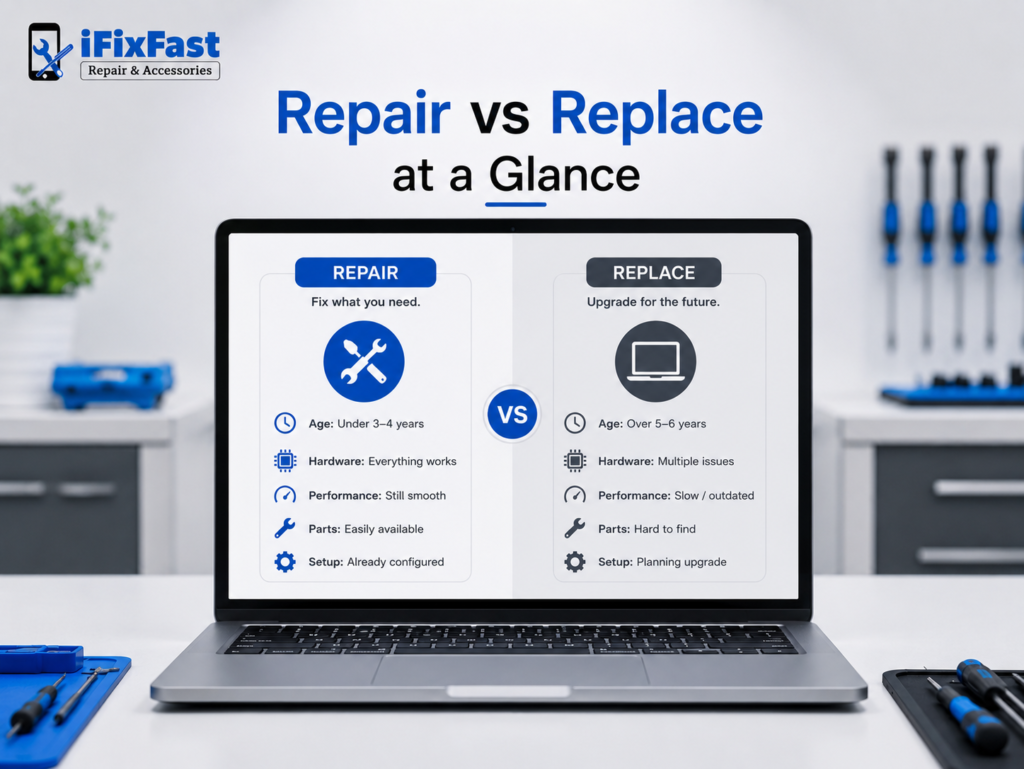
| Factor | Favors Screen Repair | Favors New Laptop |
| Age | Under 3–4 years old | Over 5–6 years old |
| Other hardware | Everything else works fine | Battery, keyboard, or ports also failing |
| Performance | Still handles daily tasks well | Struggles with current software |
| Parts availability | Panel is a common, sourceable model | Discontinued or rare part |
| Attachment to setup | Files, software, and preferences already dialed in | Already planning to upgrade |
Why Local Matters for This Kind of Repair
Shipping a laptop off to an unknown repair service and waiting weeks isn’t ideal when you rely on the device daily. Searching for laptop screen repair Raleigh NC instead of a mail-in service means you can ask questions directly, get a real diagnosis instead of a guess, and pick the laptop back up once the panel’s confirmed to be working correctly.
Local shops that handle this kind of laptop screen replacement regularly also tend to keep a wider range of laptop screen replacement parts on hand or know how to source them quickly, which shortens the whole process compared to ordering a part online yourself and hoping it fits.
If you’re in the Triangle area, iFixFast is one of the local options that handles this type of repair for a range of laptop brands.
Making the Final Call
If your laptop is otherwise healthy and the display is the only real problem, a laptop replacement screen is almost always the smarter move, it’s faster than replacing the whole machine, and it avoids the hassle of migrating everything to a new setup. If the laptop was already on its way out before the screen cracked, that’s a different conversation, and it might be the right moment to upgrade instead.
Either way, getting an honest diagnosis first beats guessing. A quick inspection can tell you whether you’re looking at a simple panel swap or something more involved, and that’s the information that actually should drive the decision.
Frequently Asked Questions
1. How do I know if my laptop is worth repairing?
If the laptop is under four or five years old, runs current software without issues, and every other component works fine, it’s usually worth repairing rather than replacing.
2. Is a laptop replacement screen a permanent fix?
Yes, when installed correctly with a matching panel, a screen replacement restores full function and isn’t a temporary workaround.
3. Can I still use my laptop with a cracked screen in the meantime?
Often yes, especially if you connect an external monitor, but a crack can spread over time and risks further internal damage the longer it’s left unaddressed.
4. Does a broken screen mean the whole motherboard is damaged?
Not usually. In most cases, the display panel or its cable is the only component affected, and the rest of the laptop functions normally.
5. What’s the difference between a screen repair and a full display replacement?
They’re generally the same thing, a laptop display replacement involves swapping out the entire panel, not just repairing the glass.
6. Should I buy screen replacement parts and do it myself?
It’s possible if you’re comfortable with electronics disassembly, but mismatched laptop screen replacement parts or a mishandled cable can cause more damage than the original crack.
7. How do I find a reliable laptop screen repair service near me?
Look for a shop with experience across multiple laptop brands, a track record of local reviews, and a willingness to diagnose the issue honestly before recommending a repair.
8. Where can I get laptop screen repair in Raleigh NC?
Local repair shops such as iFixFast offer laptop replacement screen services for a range of brands and can typically diagnose the issue on the spot.
Ready to Get Your Screen Looked At?
If your laptop is otherwise running fine and the screen is the only real problem, don’t let a cracked or flickering display push you into buying a whole new machine. Bring it in for a quick diagnosis, find out exactly what’s wrong, and get a straight answer on whether a laptop replacement screen is the right fix.