
Many people delay getting help for a malfunctioning device, even after repeated troubleshooting hasn’t resolved the issue. The uncertainty isn’t really about the device, it’s about knowing whether the problem is serious enough to warrant a laptop and computer repair service, or something that can reasonably wait.
That uncertainty is often the real obstacle. Below is a clear way to determine when it’s time to stop troubleshooting and seek professional repair.
Table of Contents
- How to Know When It’s Time for Professional Repair
- Situations That Call for Professional Help Right Away
- Situations Where You Can Reasonably Wait
- How Device Age and Warranty Change the Decision
- Once You’ve Decided: Where to Actually Go
- Comparing Your Repair Options
- Questions Worth Asking Before You Book
- FAQs
- Conclusion
How to Know When It’s Time for Professional Repair
If basic troubleshooting, restarting the device, clearing storage, running a malware scan hasn’t resolved the issue, that’s typically the point where a laptop and computer repair service becomes the right next step. In general, once a problem can no longer be explained away or fixed through a quick search, it’s worth having a professional take a closer look.
Situations That Call for Professional Help Right Away
Some problems aren’t worth sitting on, no matter how busy your week is:
- The screen is cracked, flickering, or showing lines
- The device won’t power on at all, even when plugged in
- There’s been any kind of liquid exposure
- The hard drive is making clicking or grinding noises
- Files are missing or the drive won’t mount properly
- Malware keeps reappearing after a scan
These aren’t “wait and see” problems. Continued use, especially with hardware issues like a failing drive, can turn a simple fix into a much bigger one, or put your data at real risk.
Situations Where You Can Reasonably Wait
Not everything needs an appointment right away. A few things are worth trying on your own first, or simply keeping an eye on:
- General sluggishness that a restart or cleanup might resolve
- A single app crashing repeatedly, rather than the whole system
- Minor cosmetic wear that isn’t affecting how the device functions
- A battery that’s degrading slowly but still holds a reasonable charge
If the issue is annoying but not urgent, it’s fair to keep using the device for now, as long as you’re not ignoring something that could get worse.
How Device Age and Warranty Change the Decision
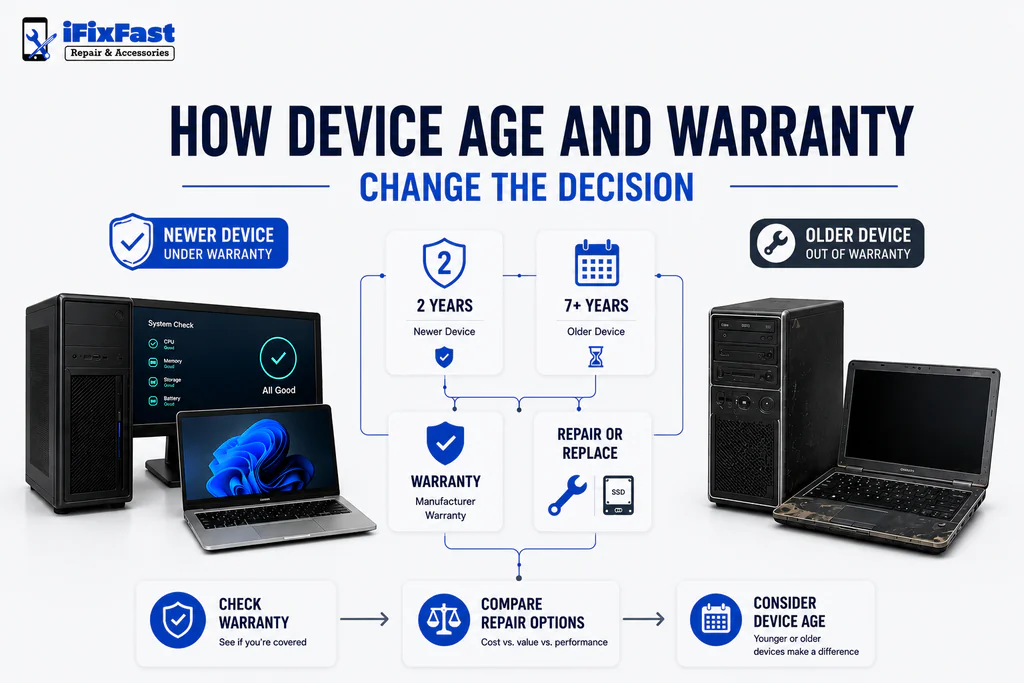
Timing isn’t only about the symptom, it’s also about the device itself. A two-year-old laptop with a cracked screen is a very different call than a seven-year-old one with the same issue. If the device is still under manufacturer warranty, that’s usually worth checking before booking anywhere else, since it can affect your options. Once that warranty’s expired, a local laptop and computer repair service typically becomes the more practical route, especially for anything that isn’t a major structural failure.
Once You’ve Decided: Where to Actually Go
Once you’ve settled on getting it fixed, the next question is who actually does the work. Broadly, there are three directions: an independent local shop, the manufacturer’s own service center, or a big-box store repair counter. Each one technically offers a laptop and computer repair service, but the experience underneath that label varies quite a bit.
Independent shops tend to be fastest for common issues and more flexible with older devices. Manufacturer service is the safer bet while a device is still under warranty. Big-box repair counters are convenient but often outsource the actual work, which can slow things down.
Comparing Your Repair Options

| Factor | Local Repair Shop | Manufacturer Service | Big-Box Store |
| Typical turnaround | Fastest for common repairs | Slower, especially mail-in | Inconsistent |
| Best for warranty devices | Works, but may affect coverage | Best option | Sometimes bundled |
| Best for out-of-warranty devices | Strong option | More limited | Varies |
| Communication | Direct with technician | Often through support line | Varies by staff |
| Brand flexibility | Wide, if experienced shop | Single brand only | Wide, less specialized |
Questions Worth Asking Before You Book
Wherever you land, a few questions apply no matter which option you choose:
- Do they diagnose the issue before quoting a price?
- What’s the realistic turnaround, not the best-case estimate?
- Is there a warranty on the repair itself?
- What happens to your files during the process?
- Do they actually have experience with your specific brand?
If you’re comparing computer repair near me results or typing laptop repair near me for the first time, these five questions matter more than which type of provider you’re even choosing between.
For Raleigh residents, independent shops like iFixFast Repair & Accessories tend to be the strongest fit once a device is out of warranty and speed matters more than sticking to one brand’s official channel. Whether you’re searching computer repair Raleigh nc for the first time or you’ve been through this before, knowing when to act — not just where to go, is really what makes the decision easier.
FAQs
1. When should I use a laptop and computer repair service instead of troubleshooting myself?
Once basic steps like restarting, clearing storage, or scanning for malware don’t resolve it, or if there’s physical or liquid damage, it’s time to bring it in.
2. Is it worth repairing an older laptop?
Often yes, especially for a single component issue like a screen or battery. Full replacement makes more sense when multiple systems are failing at once.
3. Should I wait if my computer is just running slow?
It’s reasonable to try basic cleanup first. If it persists, a professional diagnostic can identify what’s actually causing it.
4. Does a cracked screen need immediate attention?
Yes. It won’t necessarily worsen the device’s function immediately, but cracks can spread and risk further damage the longer it’s used.
5. How does warranty status affect where I should go?
If the device is still under manufacturer warranty, check that first, since outside repairs can sometimes affect that coverage. Once it’s expired, local shops are usually the more flexible option.
6. What’s the biggest sign I shouldn’t keep using the device?
Unusual noises from the hard drive, missing files, or liquid exposure — these can worsen quickly and put your data at risk.
Conclusion
Knowing when to use a laptop and computer repair service usually comes down to two things: whether basic troubleshooting has already failed, and whether the device is worth the fix given its age and condition. Once those two questions are answered, the rest, where to go, what to ask, how long it’ll take, falls into place a lot more easily than people expect going in.
Leave A Comment