
HP laptops are everywhere – in home offices, classrooms, and small companies across the Triangle. Your entire routine is disrupted when the touchscreen on one of these devices stops working or the display itself cracks. If you’ve been seeking for answers on an HP laptop touch screen replacement, this tutorial explains down what often causes the problem, what the repair actually involves, and how to make a confident decision about replacing it.
Table of Contents
- Reasons for Problems with HP Touchscreens
- Touch Not Working vs. Screen Damage, Know the Difference
- What an HP Laptop Touch Screen Replacement Actually Involves
- Genuine Parts vs. Generic Panels
- Can You Attempt This Repair Yourself?
- HP Screen Issues at a Glance
- Getting It Fixed Locally in Raleigh, NC
- Conclusion
- Frequently Asked Questions
Reasons for Problems with HP Touchscreens
Touch-enabled HP laptops incorporate two layers into the display: the LCD screen underneath and a digitizer layer on top that reads your finger’s touch. Touchscreen problems don’t usually appear the same because any layer can malfunction on its own.
Typical reasons consist of:
- Physical impact — a drop, a bump in a bag, or pressure from something resting on a closed lid
- Digitizer failure — the touch layer stops responding even though the picture underneath still looks fine
- Cable or connector issues — the ribbon cable linking the screen to the motherboard works loose over time
- Age-related wear — years of daily tapping and swiping eventually degrade the digitizer’s sensitivity
- Liquid exposure — spills that seep beneath the glass and short out the touch layer
Knowing which of these is occurring makes it easier to decide if you require a complete replacement of your HP laptop touch screen or something more modest, like a cable reseat.
Touch Not Working vs. Screen Damage, Know the Difference
Not every touch issue necessitates replacing the entire panel. It is useful to distinguish between the two most typical situations:
The picture looks fine, but touch doesn’t respond. Instead of the display panel itself, this typically refers to the digitizer or its connector. In this instance, reseating or replacing the touch layer alone, rather than the entire LCD might be sufficient for an HP touchscreen repair.
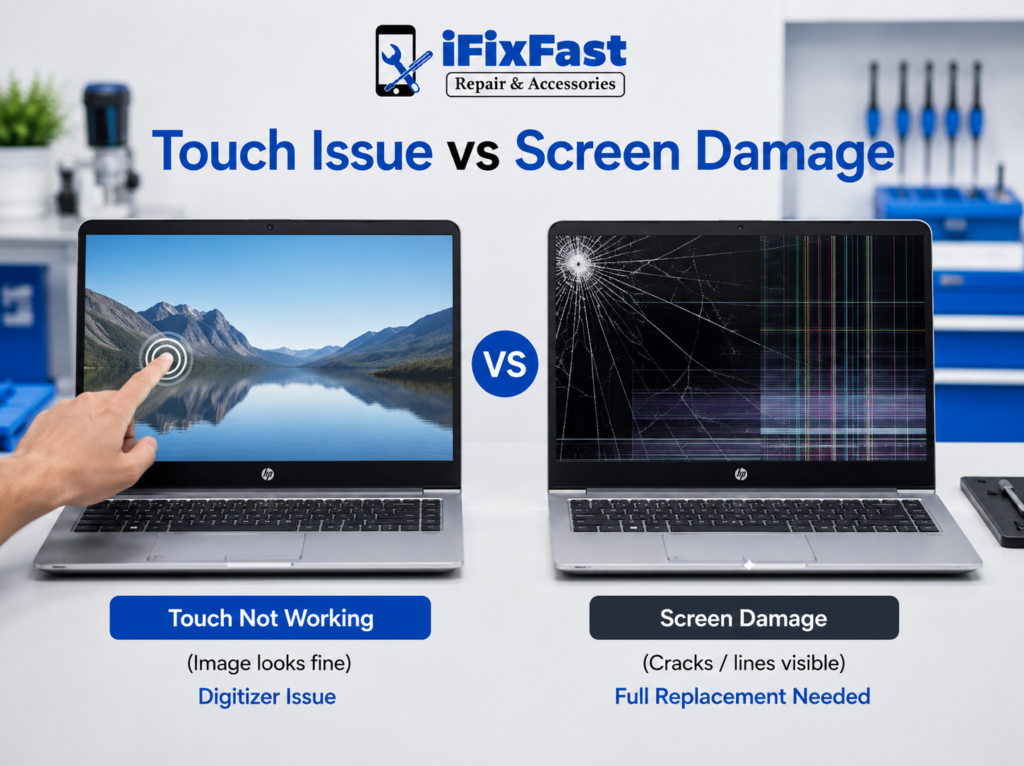
The screen is cracked, discolored, or has visible lines. This is a physical panel issue, and it often requires a complete hp display replacement, since the damage rests in the glass or LCD layer itself.
A simple way to check: if you can still see a clear image but tapping does nothing, note that down before bringing it in, it saves diagnostic time and points the technician straight to the digitizer.
What an HP Laptop Touch Screen Replacement Actually Involves
A proper hp laptop touch screen replacement isn’t a one-size-fits-all swap. The procedure typically entails the following steps because HP produces dozens of laptop lines, including Pavilion, Envy, Spectre, EliteBook, and more, each with unique panel sizes and connector types:
- Model identification — confirming the exact HP model number, since even similar-looking laptops can use different panel specs
- Diagnosis — separating a digitizer issue from a full panel failure using the touch-vs-display check above
- Sourcing the correct part — matching resolution, size, and connector type for that specific hewlett packard laptop screen replacement
- Disassembly — removing the bezel and hinges carefully, since HP lids vary in how they’re clipped or screwed together
- Installing and connecting — securing the new panel and reconnecting both the display cable and the touch digitizer cable
- Testing — checking image clarity, brightness, and full touch responsiveness across the entire screen before closing the lid
Skipping the model-identification step is where a lot of online part orders go wrong — the wrong hp lcd replacement can technically fit but not function correctly with the touch layer.
Genuine Parts vs. Generic Panels
When it comes to hp laptop computer screen replacement, part quality matters as much as the install itself. Here’s what separates a reliable repair from a shaky one:
| Factor | Genuine/OEM-Matched Part | Generic Panel |
| Touch accuracy | Full-screen response | Dead zones possible |
| Color and brightness | Matches original spec | Can look dimmer or off-tone |
| Fit | Flush with bezel | May sit slightly loose |
| Longevity | Built for the exact model | Higher chance of early failure |
If your machine is a touch model, this distinction matters even more, since a mismatched digitizer can leave you with an hp notebook screen replacement that looks fine but doesn’t register touch evenly across the glass.
Can You Attempt This Repair Yourself?
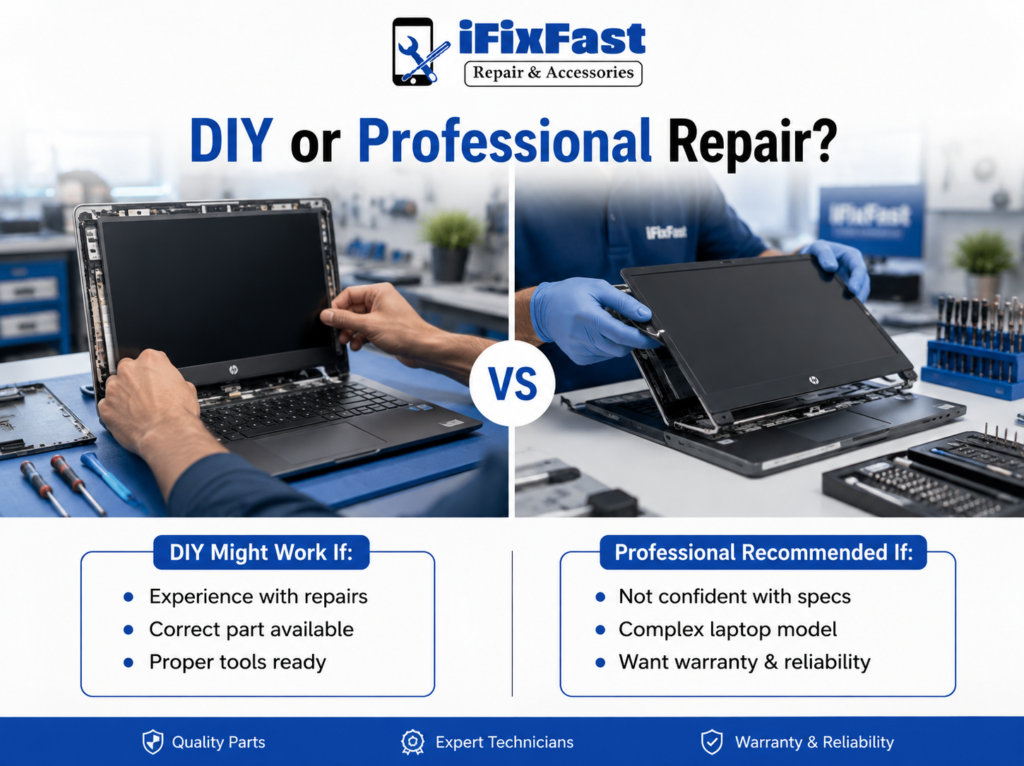
Some people search “how to repair hp laptop” screens on their own, and for basic models it’s technically possible with the right tools. But an hp laptop touch screen replacement adds a layer of difficulty non-touch laptops don’t have, you’re managing two cables instead of one, and the digitizer is more delicate to handle during disassembly.
DIY might work if:
- You’ve done panel swaps before
- You’ve confirmed the exact part number for your model
- You have anti-static tools and a clean workspace
- Your laptop isn’t under an active warranty
Professional help makes more sense if:
- You’re not confident identifying panel and digitizer specs
- Your laptop is a business-grade EliteBook or similar with a more complex chassis
- You want a warranty on the completed work
- You’d rather have someone confirm the diagnosis before ordering parts
For most people, having a technician handle the full hp monitor replacement process saves time and avoids the risk of a second repair down the line.
HP Screen Issues at a Glance
| Symptom | Likely Cause | Typical Fix |
| Touch unresponsive, image fine | Digitizer or cable | HP touchscreen repair |
| Cracked glass, visible lines | Panel damage | Full HP laptop touch screen replacement |
| Flickering with no crack | Loose cable or backlight | Cable reseat or backlight check |
| Blank screen, laptop powers on | Cable, panel, or backlight | Diagnostic first, then part swap |
| Discolored patches | Panel degradation | HP lcd replacement |
Getting It Fixed Locally in Raleigh, NC
Ordering a screen online and hoping it matches your exact HP model is a risky bet, especially with touch models, where the digitizer has to pair correctly with the panel underneath. Working with a local shop for your hp laptop touch screen replacement means someone can physically confirm the model, test the current display, and source a matching part without the guesswork.
iFixFast, based in Raleigh, is one option in the area that handles this type of repair across a range of HP laptop lines, along with other brands. Bringing the laptop in also means you get a same-visit diagnosis instead of waiting on a mailed part that may or may not be the right fit.
Conclusion
A damaged or unresponsive HP display doesn’t necessarily mean starting over with a new laptop. Once you know whether the issue sits in the digitizer, the panel, or a loose cable, a hp laptop touch screen replacement typically brings the machine right back to normal use. The part quality and the precision of the install are what determine how long that fix actually lasts, so it’s worth getting an accurate diagnosis before deciding on your next step.
Ready to get it fixed? If your HP laptop’s display or touch response isn’t working the way it should, don’t wait for the problem to get worse. Stop by iFixFast in Raleigh, NC, for a hands-on diagnosis, or reach out today to get your screen working like new again.
Frequently Asked Questions
1. How do I know if my HP touchscreen needs a full replacement?
If the image looks normal but touch doesn’t respond anywhere on the screen, it’s often the digitizer. If the glass is cracked or the picture itself is damaged, a full panel replacement is usually needed.
2. Can I fix HP screen touch issues without replacing the whole panel?
Sometimes. If the LCD is undamaged and only the touch layer has failed, a technician may be able to repair or replace just the digitizer.
3. Do all HP laptops use the same replacement screen?
No. HP produces many laptop lines with different panel sizes, resolutions, and connector types, so parts have to be matched to the exact model.
4. Is touchscreen repair more expensive than a standard screen swap?
Touch models involve an extra cable and layer, which adds some complexity to the process compared to a non-touch hp laptop screen replacement.
5. Will a generic replacement screen work on my HP laptop?**
It may physically fit, but generic panels can result in touch dead zones or color inaccuracies, so a properly matched part is the safer choice.
6. How long does an HP screen replacement take?
Once the correct panel is confirmed and in hand, most replacements are completed within the same day.
7. Does a cracked screen affect the rest of the laptop?
Not usually. In most cases, the panel or digitizer is the only affected component, and the internal hardware continues to function normally.
8. Where can I get HP laptop touch screen replacement in Raleigh, NC?
Local repair shops such as iFixFast offer HP screen diagnosis and replacement services and can typically confirm the correct part on the spot.