
Not every computer repair shop actually knows Apple hardware well. Macs and iMacs go together differently than a regular Windows machine, and that difference shows up fast the moment something stops working right. If you’re searching apple computer repair raleigh nc at this point, you’ve probably already figured out this isn’t a one-size-fits-all kind of fix.
This isn’t a generic troubleshooting checklist. It’s more a look at what actually sets Apple repair apart, and how you find someone who genuinely gets the difference instead of just claiming they do.
Why Mac and iMac Repairs Aren’t Like Fixing a Windows PC
Apple builds hardware and software to work tightly together. Great for performance. Not so great when something breaks, since repairs end up needing more specific know-how than a lot of general computer shops have lying around.
A technician who’s mostly used to Windows towers might not know how Apple seals things up, routes internal cables, or deals with its proprietary parts. Even removing a bottom panel calls for different tools and a different touch than most generic repair kits are built around. That’s a big part of why apple computer repair raleigh nc searches tend to steer people toward shops that actually mention Apple experience by name, rather than just “computer repair” in general.
Common Apple Computer Problems We See Locally
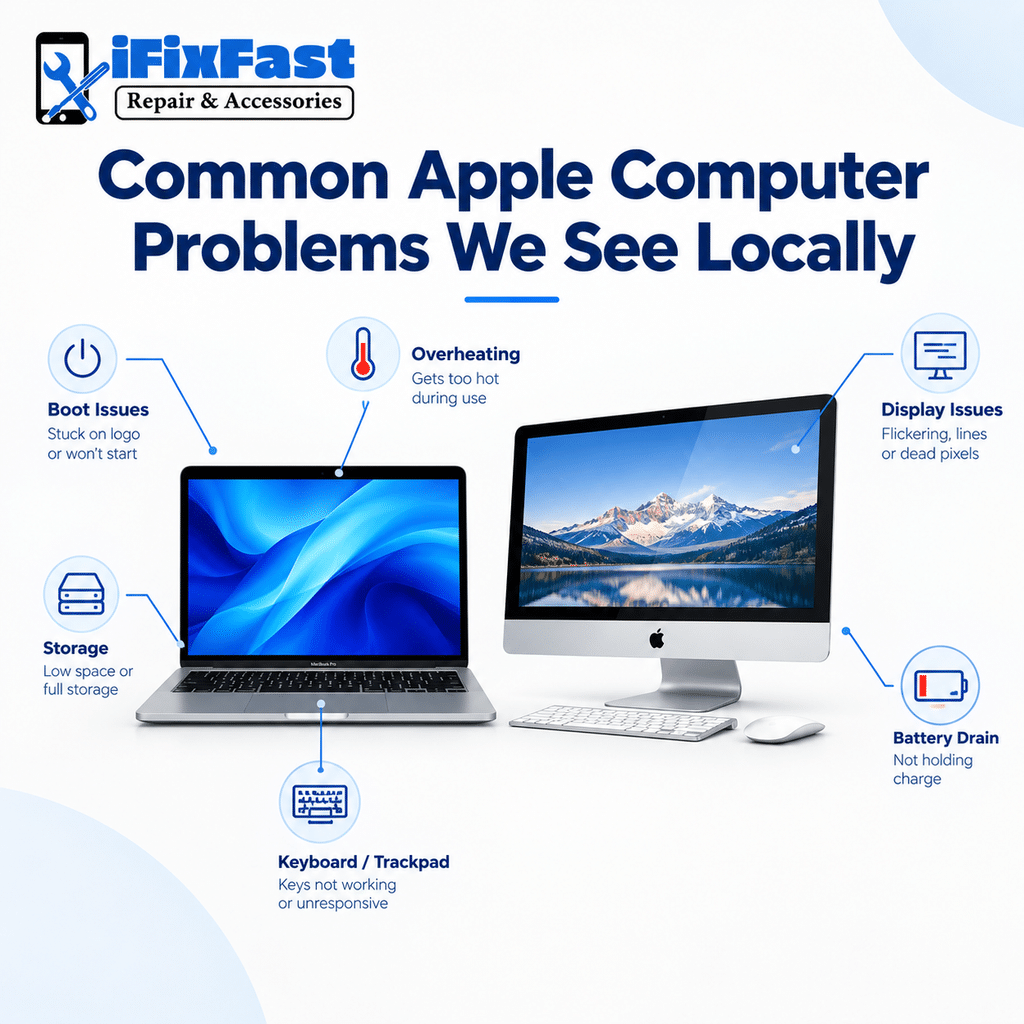
A handful of issues keep showing up on Mac and iMac devices:
- macOS freezing, or just refusing to boot after an update
- A Mac running hot, fan going nonstop
- Performance dragging once storage gets nearly full
- Keyboard or trackpad acting up on MacBook models
- Display issues on iMacs, flickering or dead pixels
- Battery drain on MacBook Pro and MacBook Air models
None of this is rare, honestly. It’s just handled differently depending on whether you’re dealing with a laptop or a desktop Apple setup, which is basically the distinction most apple computer repair Raleigh nc searches are really trying to sort out from the start.
iMac Repairs Work Differently Than Laptop Repairs
Apple iMac computer repair comes with its own quirks. Unlike a MacBook, an iMac’s screen, logic board, and internals are all crammed into one single unit. A display issue isn’t always just a display issue here — it can mean opening up the whole case instead of simply swapping a standalone monitor.
That’s part of why iMac work often calls for more specialized tools than a laptop repair does, and it’s one more reason apple computer repair raleigh nc searches tend to point people toward a shop rather than a kitchen-table teardown. A shop that actually understands this stuff should know the distinction before the case even comes off.
Screen Issues on iMacs and MacBooks
Apple computer screen repair looks pretty different depending on what you’ve got. On a MacBook, the screen’s its own separate piece and can usually be swapped out on its own. On an iMac, the display fuses right to the chassis, which changes both the process and how careful a technician has to be.
Cracked glass, flickering, dead patches on the screen — these are some of the most common reasons people end up searching apple computer repair raleigh nc in the first place. Knowing which type of Apple device you actually own changes what the fix looks like from the jump.
What to Expect From a Technician Who Knows Apple Hardware
A decent apple computer repair shop should walk you through a few basics before ever touching your device:
- A real diagnostic, not a guess based on whatever you described over the phone
- A straight answer on whether it’s hardware, software, or both
- Honesty about which parts are actually going in
- A realistic timeline, not an overly rosy one
- Some kind of warranty once it’s done
If a shop skips most of this, that’s worth noticing before you hand anything over.
How Local Technicians Typically Approach These Repairs
Most independent shops handling apple computer repair Raleigh nc start the same way: visual inspection first, then a diagnostic to actually confirm what’s wrong before anyone quotes a number. That order matters more than it sounds — skip straight to a quote and someone’s probably just guessing.
For Mac and iMac devices specifically, that diagnostic tends to run a little longer than it would on a Windows box, mostly because Apple packs things together so tightly inside. A rushed look at an Apple system misses things a slower, more careful one wouldn’t. It’s one more reason apple computer repair raleigh nc searches tend to favor shops with real hands-on experience over general electronics spots.
Is It Worth Repairing an Older Mac?
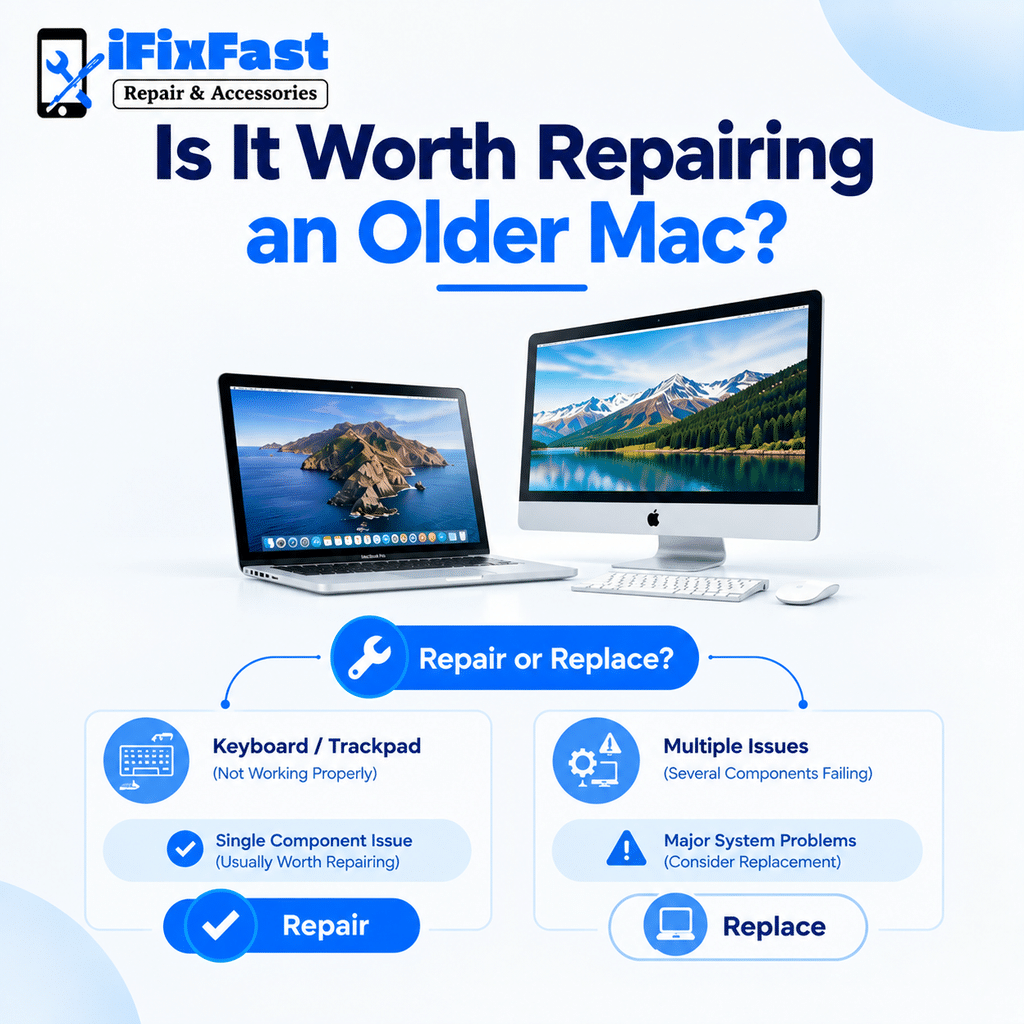
Honestly, it depends on the specific issue, and it’s one of the more common questions behind apple computer repair Raleigh nc searches. A single component problem — a dead battery, a cracked screen — is usually worth fixing, even on an older Mac. Several things failing at once is a different conversation entirely.
Apple computer repair services Raleigh residents actually search for most often turn out to be exactly these kinds of targeted fixes, not full system overhauls. A good technician should tell you straight whether repairing even makes sense for your device, not just whether it’s technically possible.
Finding Apple Computer Service in Raleigh You Can Trust
Not every shop offering apple computer service Raleigh has equal experience with Mac hardware specifically. A few things worth checking first:
- Do they mention Apple or Mac devices by name, not just “computers” in general?
- Can they actually speak to iMac versus MacBook differences?
- Do they have real reviews mentioning Apple repairs specifically?
- Are they upfront about what they can and can’t handle in-house?
Locally, iFixFast is one option worth a look if you’re weighing shops that handle apple mac repair raleigh nc alongside other device types, instead of treating Apple hardware as an afterthought.
Questions to Ask Before Booking
A few blunt questions tend to clear things up fast:
- Have you worked on this exact Mac or iMac model before?
- Is this hardware, software, or both?
- What’s a realistic turnaround, really?
- Is there a warranty on the work?
Asking these upfront tends to separate the shops that genuinely specialize in this from the ones that’ll just take a look and hope for the best.
Protecting Your Data Before Any Apple Repair
Before dropping off a Mac or iMac, it’s worth thinking about what’s actually sitting on it. Most hardware repairs — a battery swap, a screen replacement — don’t touch the drive at all. A few, like a logic board issue, might.
A shop genuinely experienced with apple computer repair Raleigh nc should be upfront about whether your files are at any risk for the specific repair you need. If you can back up beforehand, Time Machine or cloud storage, either one, it just takes one more variable off the table. Small step, but it’s the kind of thing that turns a stressful repair into a routine one.
FAQs
1. Is Apple repair different from PC repair?
Yes. Apple uses proprietary parts and tightly built designs, which need more specific tools than standard PC repair.
2. Can an iMac screen be fixed on its own?
Not usually. The display is built into the chassis, so most screen issues mean opening the whole unit.
3. Should I fix an older Mac or replace it?
Depends on the issue. One failing part is usually worth fixing. Several major issues often mean replacing instead.
4. Do shops repair both MacBooks and iMacs?
Many do. Still worth confirming directly, since laptops and desktops repair differently.
5. How do I know a shop has real Apple experience?
Ask about specific models they’ve worked on. Check reviews that mention Apple or Mac by name.
6. What’s the most common reason people need repair?
Screen damage, slow performance, and battery issues top the list.
Conclusion
Apple hardware just isn’t built like everything else, and the repair process shouldn’t be treated like it is either. Whether it’s a MacBook battery, an iMac screen, or a Mac that won’t boot, finding a shop that actually understands apple computer repair Raleigh nc residents can rely on makes the difference between a quick fix and a frustrating runaround.
Leave A Comment