
A Lenovo that used to last all day and now dies before lunch is not just annoying, it is a clear signal. Lenovo laptop battery replacement is one of the most searched repair topics for a reason, since batteries degrade with age and most owners do not realize a fix is often simple and affordable. This advice was created with you in mind if terms like battery notebook Lenovo are already frequently seen in your search history.
Lenovo builds some of the most widely used laptops for students, remote workers and small businesses. With that many devices in daily use, a weak or failing battery is one of the most common repair requests technicians see, and it rarely means the laptop itself is done for.
This guide will teach you how to spot warning signs, how to properly check the health of your battery, and what a Lenovo laptop battery replacement entails for your particular model. Whether you want to handle it yourself or hand it to a professional, you will know what to expect before you start.
Table of Contents
- What Is Lenovo Laptop Battery Replacement
- Signs Your Lenovo Needs a New Battery
- Why Lenovo Laptop Battery Replacement Matters
- Benefits of Professional Battery Replacement
- Our Battery Replacement Process for Lenovo Laptops
- Check Your Battery Health First
- Identify Your Exact Model
- Decide DIY or Professional
- Replacement Steps
- Common Mistakes to Avoid
- Frequently Asked Questions
- Final Thoughts
What Is Lenovo Laptop Battery Replacement
This procedure entails taking out a worn-out or malfunctioning battery and installing a new one that is compatible with the voltage, capacity, and connector layout of your model. A Lenovo battery replacement is never a one-size-fits-all solution because every Lenovo line, including the IdeaPad, ThinkPad, and Legion, has a unique battery designed for that chassis.Some models use a battery you can swap yourself in minutes.Others use ribbon cables and adhesive to incorporate the battery into the chassis, which completely alters the method.
It’s important to do this properly because a mismatched or subpar battery might eventually impact your motherboard’s health as well as charging speed and run time. Because of this, determining your precise model before placing an order for parts is an essential initial step rather than an afterthought.
Signs Your Lenovo Needs a New Battery
Most Lenovo laptops give warning signs long before the battery fails completely. Watch for:
- Battery draining fast even with light use like browsing or writing
- Laptop shutting down suddenly at 20 percent or higher
- Battery stuck at 0 percent or refusing to charge past a certain point
- Noticeable swelling, warping or a raised trackpad
- The laptop only working while plugged in
- Overheating around the palm rest during normal use
If you notice swelling in particular, stop using the laptop and unplug it right away. A swollen battery is a safety risk, not a cosmetic issue, and it should be handled by someone trained to remove it safely.
More than just convenience is impacted by a dead battery. Your workflow is slowed down, your workspace is constrained, and the frequent plugging and unplugging strains the charging port. Replacing the Lenovo laptop battery instead of letting the issue worsen safeguards the remainder of the device and is far less expensive than purchasing new hardware. It also keeps a fully functional laptop in use instead of retiring it early.
Benefits of Professional Battery Replacement
For many older models, doing the change yourself is acceptable, but there are significant benefits of choosing a professional repair service for Lenovo laptop battery replacement. A specialist chooses a battery that matches your specific part number instead of a loosely compatible one, which protects charging speed and long term battery life. Professional service also includes proper handling for sealed models, so ribbon cables and adhesive mounts are not put at risk.
There is also the benefit of a second set of eyes. A technician working inside your laptop can flag a weak charging port, a loose hinge or an aging fan before it turns into a bigger repair, and most services back the new battery with a warranty that a DIY install does not include.
Our Battery Replacement Process for Lenovo Laptops

Here is what a full lenovo laptop battery replacement typically looks like once you decide to move forward, whether you do it yourself or bring it to a professional.
Check Your Battery Health First
Before you assume you need a lenovo laptop battery replacement, confirm it. Lenovo Vantage, the manufacturer’s own app, includes a battery health section that shows current capacity compared to the original design capacity. If Vantage is not installed, Windows can generate the same information through its built-in battery report, which lists cycle count and capacity loss in plain numbers.
This step matters because a battery for lenovo laptop is not always the actual problem. Sometimes a background app, an outdated driver or a Windows power setting is draining the battery instead. Checking health first saves you from replacing a part that was never broken.
Identify Your Exact Model
Almost every Lenovo laptop battery can be replaced, albeit how it is done depends on the model. A battery that clicks into place and can be changed without opening the chassis is used in many IdeaPad and older ThinkPad laptops. A lenovo ideapad 3 battery, for example, is normally accessible with a few screws and no soldering involved.
Convertibles and more recent ultrabooks are not the same. Slim ThinkPad and Yoga models often build the battery into the base with strong adhesive and a fragile ribbon cable connecting it to the motherboard. A battery for Lenovo Thinkpad in this category still needs to be changed; it just requires more caution, the proper equipment, and calm hands to prevent injuring adjacent parts.
Decide DIY or Professional
A removable battery on an older IdeaPad or budget ThinkPad is usually safe to handle yourself if you are comfortable with a screwdriver and patient with small parts. Lenovo thinkpad batteries on newer, sealed models are a different story, since adhesive, ribbon cables and tightly packed internals raise the real risk of damage. If your model falls into that category, professional help is the safer route.
Replacement Steps
Here is how to change battery in lenovo laptop models with a removable panel:
- Power off the laptop completely and unplug the charger
- Hold the power button for fifteen seconds to release stored current
- Flip the laptop over and locate the release latch or screws
- Slide out the old battery without forcing any connector
- Align the new battery carefully and seat it fully before closing the panel
- Power on and charge to 100 percent before normal use
This is where most people should end if your model has an internal or sealed battery. Learning how to change lenovo laptop battery using ribbon cables and adhesive backing poses a significant danger of breaking a connector or cracking the trackpad, which makes a straightforward battery replacement into a much more involved repair.
Common Mistakes to Avoid
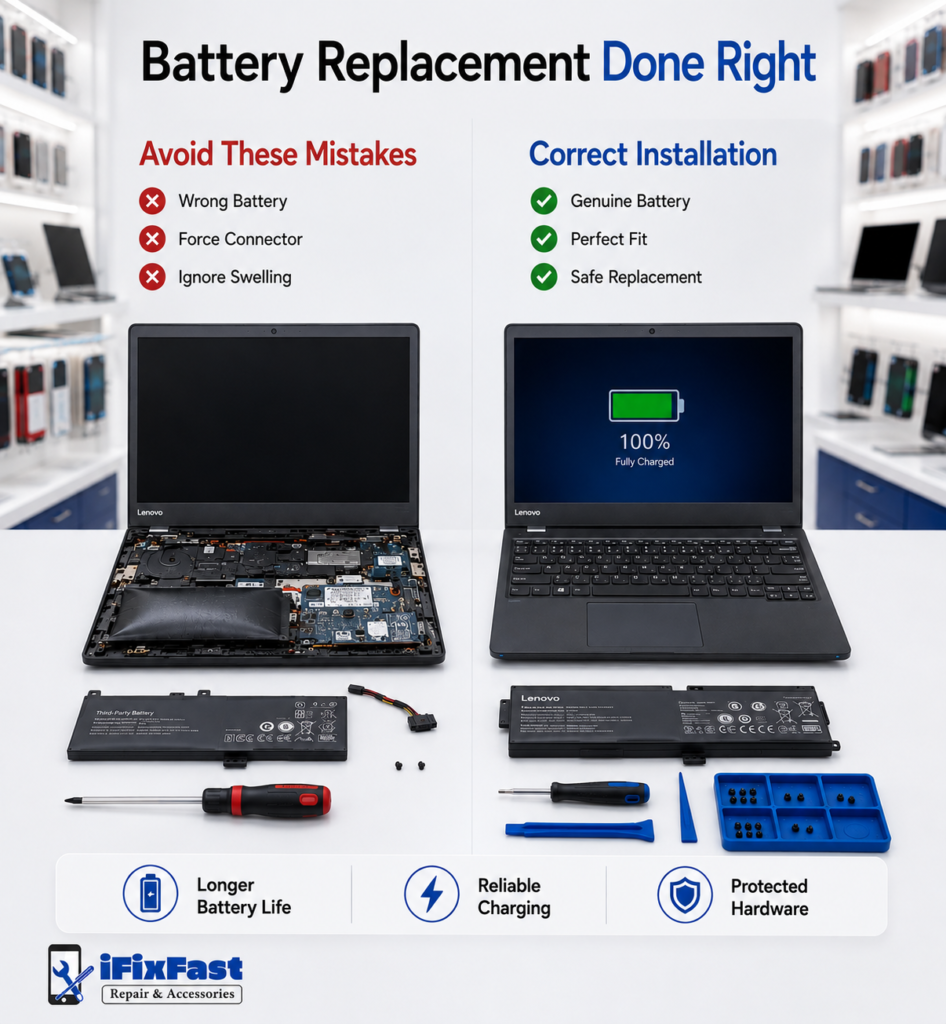
- Buying a battery based only on laptop model without checking the part number
- Ignoring swelling until the laptop stops turning on
- Forcing a battery into place when the connector does not align
- Skipping the battery health check and replacing a battery that still works fine
- Attempting a sealed battery replacement without the right tools
Each of these turns a straightforward fix into a longer repair, which is exactly the kind of mistake a quick health check or a professional opinion prevents.
Frequently Asked Questions
Is changing the battery on a Lenovo laptop worthwhile?
Yes, if the rest of the laptop still runs well. A Lenovo laptop battery replacement normally costs significantly less than a new device and restores regular run time right away.
Is it possible to change a Lenovo laptop’s battery?
Whether the battery is sealed inside the chassis or clicks into place, it can be changed in almost all Lenovo models. The method only depends on how that specific model was developed.
Is purchasing a new laptop or changing the battery worth it?
If the laptop still fits your demands and just the battery has degraded, replacing is the smarter choice. Rarely does a whole laptop replacement make sense unless other significant parts are also malfunctioning.
What is the lifespan of a Lenovo laptop battery?
Most Lenovo batteries last two to four years or a few hundred charge cycles under normal use. Heat, constant full charges and age all speed up that decline.
Will I lose everything if I replace my laptop battery?
No, a battery swap does not touch your stored files or software. Your data stays exactly as it was before the replacement, whether you or a technician handles the swap.
Final Thoughts
Your Lenovo is not finished if your battery is sluggish or unreliable. Most of the time, determining the precise model, verifying the diagnosis, and selecting the safest course of action for that particular chassis are the key to replacing a Lenovo battery. A Lenovo laptop LCD replacement can frequently be completed on the same visit if your screen also requires maintenance, saving you a second trip.
If you are in Raleigh and want the work done right the first time, iFixFast checks your battery health, sources the correct part for your exact model, and handles the swap safely, including the sealed models that are not DIY friendly.
Get a free quote today and get your Lenovo back to full day battery life.