
A cracked, flickering, or discolored MacBook Pro screen can make your laptop nearly impossible to use, even if everything else about the device is working fine. Because MacBook Pro screens are a significant part of the device’s cost and design, many people assume a damaged screen means it’s time to buy a new laptop entirely. In most cases, that’s not true.
If you’re searching for MacBook Pro screen replacement in Raleigh, NC, this guide covers the common causes of screen damage, how to tell if a replacement is the right fix, and what to expect from the repair process. This applies to MacBook Pro users across Raleigh, Durham, Cary, Apex, and the surrounding Triangle area.
Common Causes of MacBook Pro Screen Damage
MacBook Pro screens are built to handle everyday use, but certain situations put them at higher risk:
- Dropping the laptop, even from a short height
- Closing the lid with an object, like a pen, cable, or earbuds, left on the keyboard
- Pressure damage from a tightly packed bag or backpack
- Accidentally sitting or stepping on the laptop while closed
- Liquid exposure that seeps into the display
- General wear on the hinge over years of opening and closing
Because the MacBook Pro’s screen and internal display cable are closely integrated with the lid assembly, even damage that looks minor on the outside can affect the display underneath.
Signs Your MacBook Pro Needs a Screen Replacement
Not every display issue requires a full screen replacement, but these signs typically point to one:
- Visible cracks or spiderweb patterns across the screen
- Dark spots, discoloration, or patches of purple or black
- Vertical or horizontal lines running across the display
- Flickering that doesn’t go away when adjusting brightness
- A completely black screen, even though the laptop powers on and you can hear startup sounds
- Uneven backlighting or shadowing near the edges of the screen
If your MacBook Pro still boots up and you can hear the startup chime or fans running, but the display itself looks damaged or shows nothing, this usually points to a screen or display cable issue rather than a deeper hardware problem.
Screen Damage vs. Other Display Issues
Before booking a screen replacement, it helps to understand what’s actually happening, since not all display problems come from the screen itself.
| Symptom | Likely Cause |
|---|---|
| Visible cracks or shattered glass | Physical screen damage |
| Lines or discoloration, no visible cracks | Display cable or panel issue |
| Completely black screen, laptop powers on | Backlight, display cable, or logic board issue |
| Screen flickers when laptop is moved | Loose or damaged display cable |
| Dim or uneven brightness | Backlight issue |
A proper diagnostic is the best way to confirm whether the issue is the screen itself, the cable connecting it to the logic board, or something else entirely.
What’s Involved in a MacBook Pro Screen Replacement
MacBook Pro screens are more complex to replace than many other laptops because of how Apple integrates the display assembly. Depending on the model and year, the repair may involve:
- Diagnosing the issue to confirm the screen, and not another component, is the actual cause
- Removing the damaged display assembly, which on many MacBook Pro models includes the screen, camera, and surrounding lid components as a single unit
- Installing the replacement screen assembly with attention to proper cable connections
- Testing the display for color accuracy, touch functionality (on Touch Bar models), and camera/microphone function where applicable
- Reassembling the laptop and confirming everything functions correctly before it’s returned to you
Because Apple’s design has changed across MacBook Pro generations, the exact process and parts needed can vary depending on your specific model and year.
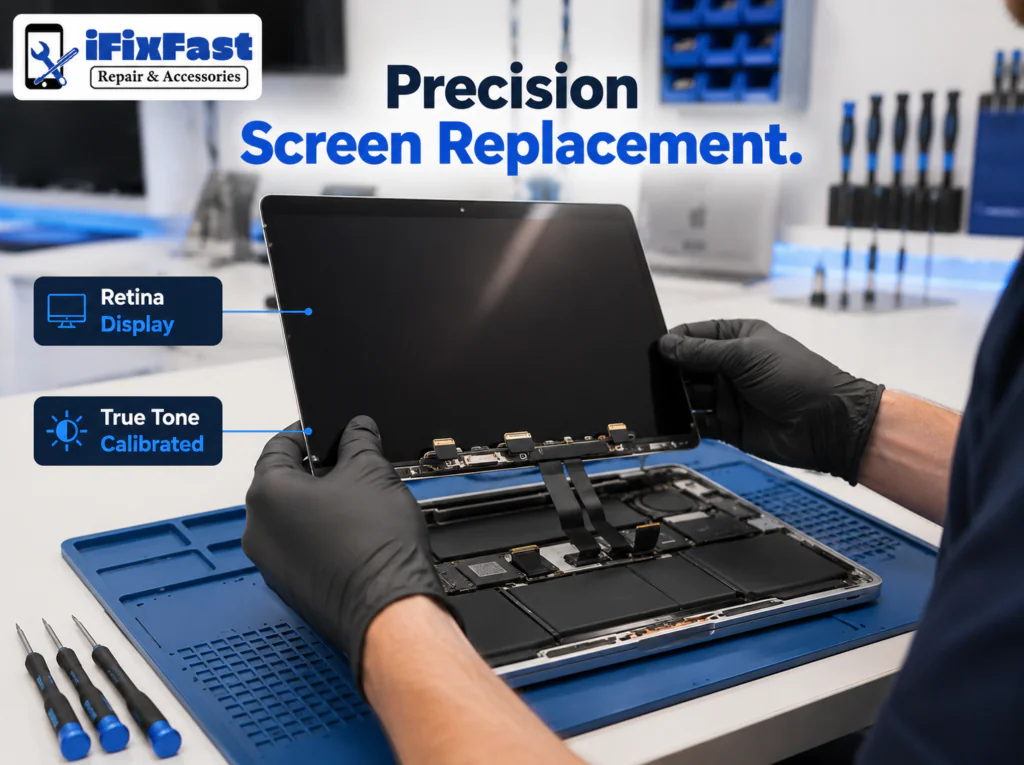
Retina, True Tone, and Model-Specific Considerations
Newer MacBook Pro models include features like True Tone display technology, which are calibrated to the original hardware. A quality repair should account for these features so the replacement screen performs and looks the way it’s meant to, rather than just restoring a picture on the screen.
Can You Replace a MacBook Pro Screen Yourself?
Technically, DIY screen replacement kits exist, but MacBook Pro repairs carry more risk than many other laptops due to:
- Tightly integrated components within the display assembly
- Delicate ribbon cables that are easy to damage during disassembly
- Specialized tools often required for proper reassembly
- Risk of affecting other components, like the camera or Wi-Fi antenna, which are often housed near the display
- Potential impact on features like True Tone if not calibrated correctly
For most MacBook Pro owners, professional replacement reduces the risk of turning a screen issue into a more expensive, multi-part repair.
How Much Does MacBook Pro Screen Replacement Cost?
Cost depends on your specific MacBook Pro model, year, and screen type, since Apple has used different display assemblies across generations. The most accurate way to get pricing is through a diagnostic that confirms your exact model and the scope of the repair needed.
iFixFastNC can provide a cost estimate once we know your MacBook Pro’s model and the specific screen issue you’re experiencing.
Why Choose iFixFastNC for MacBook Pro Screen Replacement
iFixFastNC provides repair services for MacBooks, laptops, phones, tablets, game consoles, and smartwatches across the Raleigh, NC area, including Durham, Cary, Chapel Hill, Wake Forest, Apex, Garner, Holly Springs, and Morrisville. We focus on honest diagnostics and clear communication, so you understand exactly what’s wrong with your MacBook Pro and what the repair involves before any work begins.
Dealing with a cracked or damaged MacBook Pro screen?
Contact iFixFastNC today for a diagnostic and screen replacement estimate.
Frequently Asked Questions
Can a MacBook Pro screen be replaced without replacing the whole laptop?
Yes. In most cases, the screen assembly can be replaced on its own without needing to replace the logic board or the rest of the laptop, as long as the damage is limited to the display.
How do I know if my MacBook Pro needs a new screen or has a different issue?
If the laptop powers on normally, with startup sounds and fan activity, but the display shows cracks, lines, discoloration, or stays black, it typically points to a screen or display cable issue rather than a deeper logic board problem.
Will a replacement screen support True Tone on newer MacBook Pro models?
Screen replacements on True Tone-equipped models should be handled carefully to preserve display calibration. Ask your repair provider how they handle True Tone-specific models before booking.
Is MacBook Pro screen replacement expensive?
Cost varies by model, year, and the specific display assembly required. A diagnostic is the best way to get an accurate estimate for your exact MacBook Pro.
Can I use my MacBook Pro with a cracked screen in the meantime?
It’s possible in the short term if the laptop still functions, but cracks can worsen over time and may risk further internal damage, so it’s best to have it looked at as soon as possible.
Does screen damage affect the camera or microphone?
It can, since the camera is housed within the display assembly on MacBook Pro models. A proper repair should test camera and microphone function after replacement.
How long does a MacBook Pro screen replacement take?
Turnaround time depends on your specific model and parts availability. Contact iFixFastNC with your MacBook Pro’s model for an accurate timeframe.
What MacBook Pro models does iFixFastNC service?
Contact iFixFastNC with your specific MacBook Pro model and year to confirm parts availability and get a repair estimate.
Is it safe to bring a MacBook Pro with liquid damage and a cracked screen in for repair?
Yes, but let the technician know about any liquid exposure in addition to the screen damage, since it may affect the diagnostic and repair process.
What areas near Raleigh does iFixFastNC serve for MacBook screen repair?
iFixFastNC serves the greater Raleigh area, including Durham, Cary, Chapel Hill, Wake Forest, Apex, Garner, Holly Springs, and Morrisville.
Conclusion
A damaged MacBook Pro screen doesn’t have to mean the end of your laptop. In most cases, the display assembly can be professionally replaced, restoring your MacBook Pro’s screen quality, including features like True Tone, without needing a full device replacement. If you’re in the Raleigh area, iFixFastNC can diagnose the damage and walk you through your repair options.
Ready to get your MacBook Pro screen fixed? Contact iFixFastNC today to book a diagnostic and repair estimate.